
Platforms
The Platforms tab decides which AIs MaxAEO queries on your behalf. Every monitoring cycle takes your prompts and runs them in parallel across the platforms you’ve selected, then collects and analyzes the answers.
Why platform choice matters
Section titled “Why platform choice matters”Each AI platform runs a different model and serves a different audience. Ask ChatGPT and Perplexity the same question and you may get two entirely different recommendation lists — and the people asking Perplexity aren’t the same people asking Gemini. Your brand can dominate answers on one platform while being invisible on another.
So the goal isn’t to select as many platforms as possible. It’s to cover the platforms your target users actually use first. Monitoring where your buyers really ask questions is what makes the data actionable — which is also why plans give you a platform allowance rather than enabling everything by default.
Open the Platforms tab
Section titled “Open the Platforms tab”-
In the sidebar, make sure the project you want to configure is selected.
-
Go to Products. The Monitor Platforms card at the top shows how many platforms are currently selected (for example, “4 platforms”).
-
Click the Platforms tab to open the selection list.
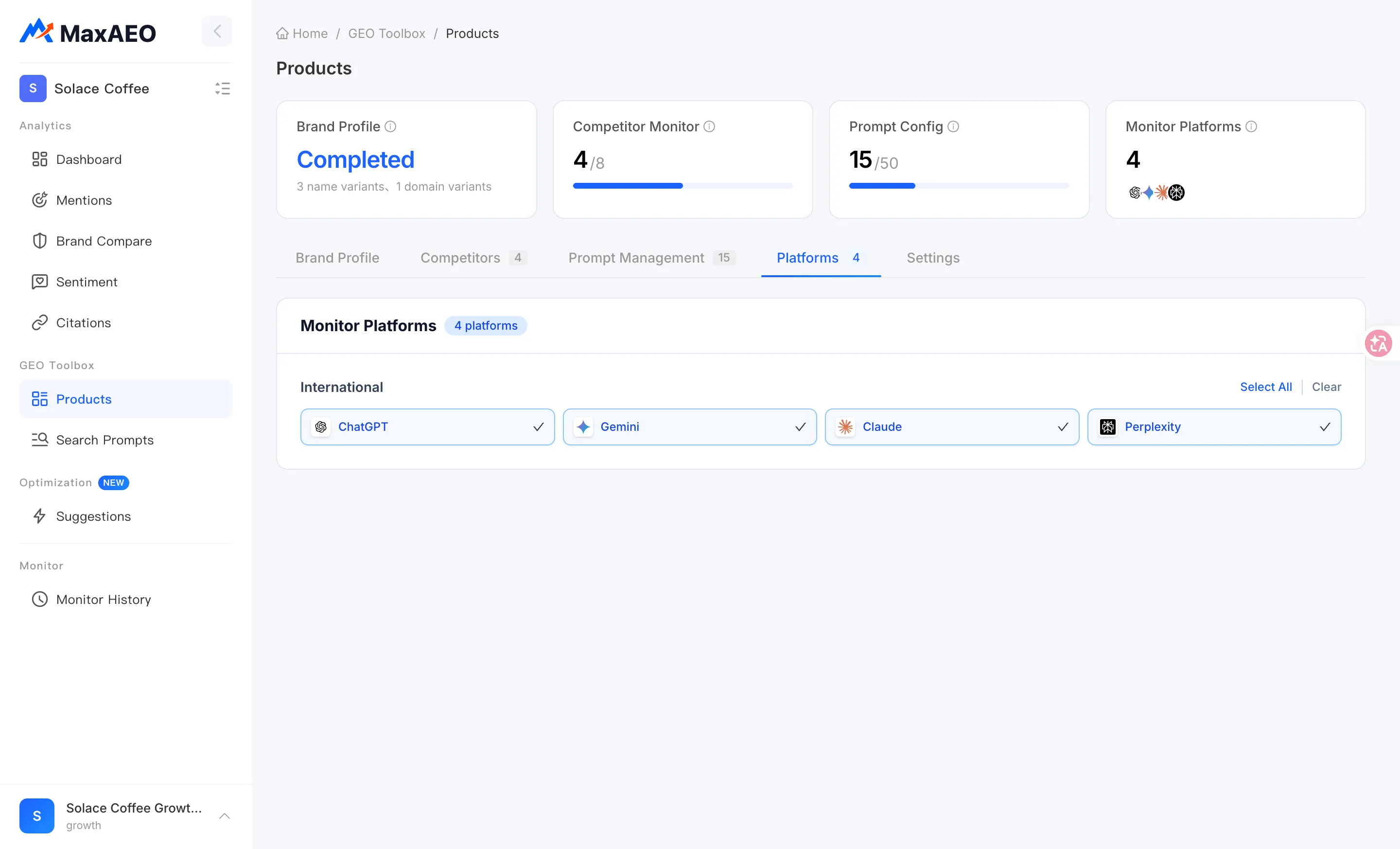
Platform groups and selection
Section titled “Platform groups and selection”Available platforms are split into two groups: International and Domestic.
- International: AI assistants used by audiences outside China — ChatGPT, Gemini, Claude, Perplexity, and others. If your target market is international, this group is where your allowance should go.
- Domestic: AI assistants serving the China market. Select from this group only if you’re also targeting Chinese users.
There are around 8 platforms available in total; the exact list in the product is authoritative and grows as new platforms are integrated. Each group has Select All and Clear buttons for quick bulk changes, and you can also toggle platforms one by one.
If you created the project with the New Project Wizard, a default set was already selected based on your target market — for international markets, that’s ChatGPT, Gemini, Claude, and Perplexity. You can change it here at any time.
Saving and when changes take effect
Section titled “Saving and when changes take effect”After you change the selection, the page shows “Platform selection modified, please save” — checkboxes alone don’t persist anything. Click Save Changes, and on success you’ll see: “Saved successfully. Changes will take effect in the next monitoring cycle.”
How to choose
Section titled “How to choose”- Start with one question: which AI do my users open when they have a problem? Spend your allowance there first. For most international B2B and consumer brands, ChatGPT’s reach makes it hard to skip, while the rest of your slots depend on where your audience researches.
- The defaults are a solid baseline. The wizard’s four international platforms cover the mainstream. If you have no strong reason to deviate, run with them for a couple of weeks before adjusting.
- Don’t swap platforms too often. A newly added platform only starts accumulating data from the next cycle, so frequent swaps break the continuity of cross-platform metrics like Mention Rate. After a change, watch at least 7 days of trend before changing again.
- Investigate gaps before dropping a platform. If your brand seems weak somewhere, check the Platform Performance module on the Dashboard to compare mention rates per platform first. A low-performing platform is often your biggest optimization opportunity, not dead weight — see Optimization for what to do about it.