
Sentiment Score
Getting mentioned by AI is not the same as getting recommended. For the same monitoring prompt, ChatGPT might list you as its top pick — or mention you only to add “but it’s on the pricey side.” Sentiment Score measures exactly that: when an AI answer mentions your brand, is the tone positive, neutral, or negative, and in what proportions?
If Mention Rate tells you whether AI talks about you, Sentiment Score tells you what it says when it does. You need both to understand where your brand really stands in AI answers.
What Sentiment Score measures
Section titled “What Sentiment Score measures”MaxAEO classifies every AI answer that mentions your brand into one of three categories:
| Category | Meaning | Effect on buyers |
|---|---|---|
| Positive (recommend) | AI explicitly recommends your brand or describes its strengths approvingly | Pushes users toward you |
| Neutral (statement) | AI states facts about your brand without a clear leaning | Informs without steering |
| Negative (dissuade) | AI points out weaknesses or gives reasons not to choose you | Pushes users toward competitors |
The share of each category is the sentiment distribution you see in the Sentiment page. For example, if 100 answers mentioned your brand in a period — 62 positive, 30 neutral, 8 negative — your distribution is 62% positive, 30% neutral, 8% negative.
One typical example per category (illustrative only, not real monitoring data):
- Positive (recommend): “If you want a lightweight, easy-to-learn project management tool, Brand A is the one to shortlist first — its template library is especially friendly to small teams.”
- Neutral (statement): “Brand A is a project management tool offering task boards, Gantt charts, and team collaboration, available on web and mobile.”
- Negative (dissuade): “Brand A’s free tier is quite limited and it doesn’t support self-hosting, so it’s a poor fit for companies with strict data compliance needs — consider alternatives.”
Where to find it
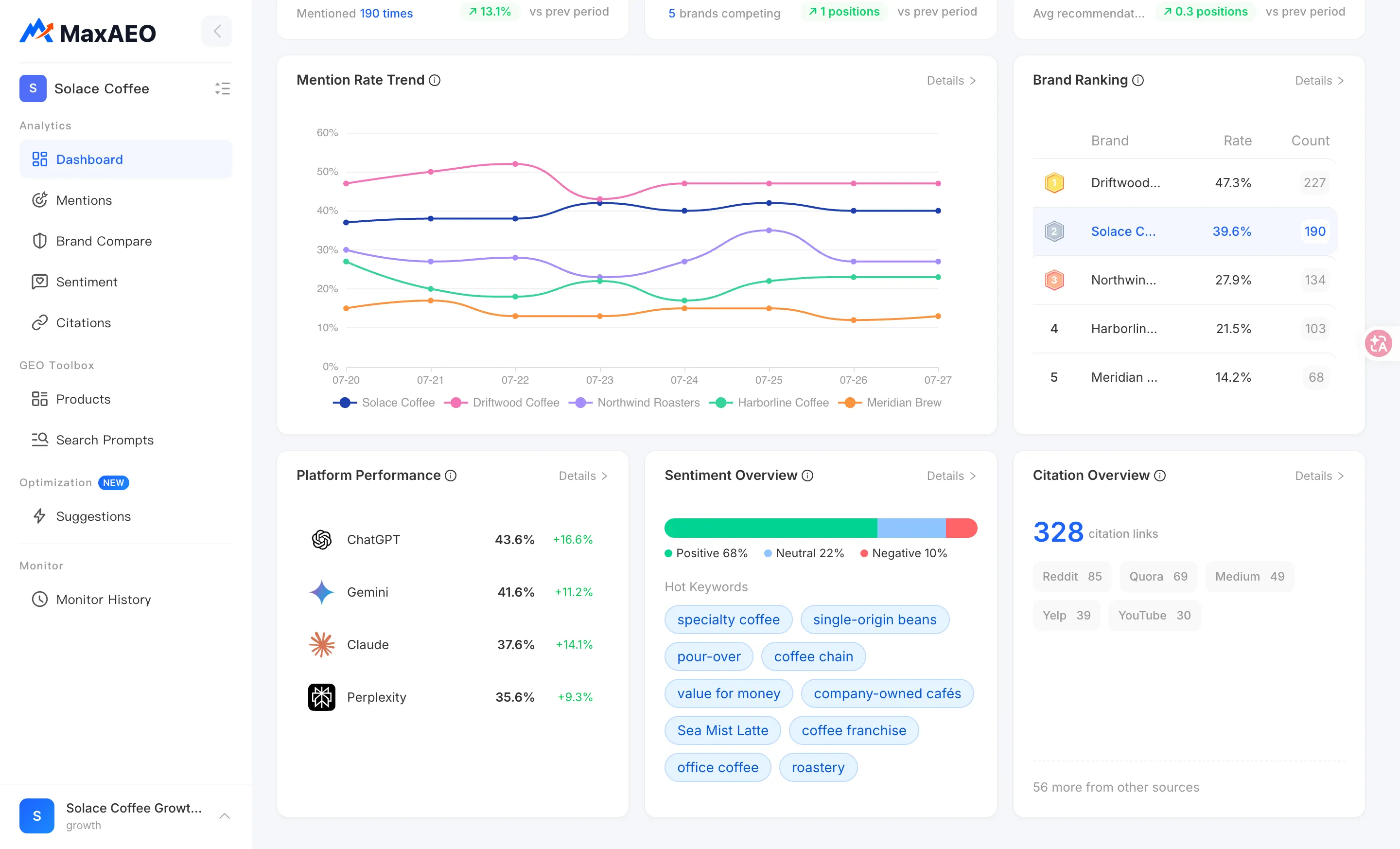
Section titled “Where to find it”Dashboard: Sentiment Overview
Section titled “Dashboard: Sentiment Overview”The Sentiment Overview card on the Dashboard shows your positive/neutral/negative split under the current filters, so you can check brand reputation at a glance alongside Mention Rate and Competitive Rank. The project, AI platform, and time range filters at the top left apply to this card too.
Sentiment page: the full breakdown
Section titled “Sentiment page: the full breakdown”Open Sentiment from the sidebar for the complete picture:
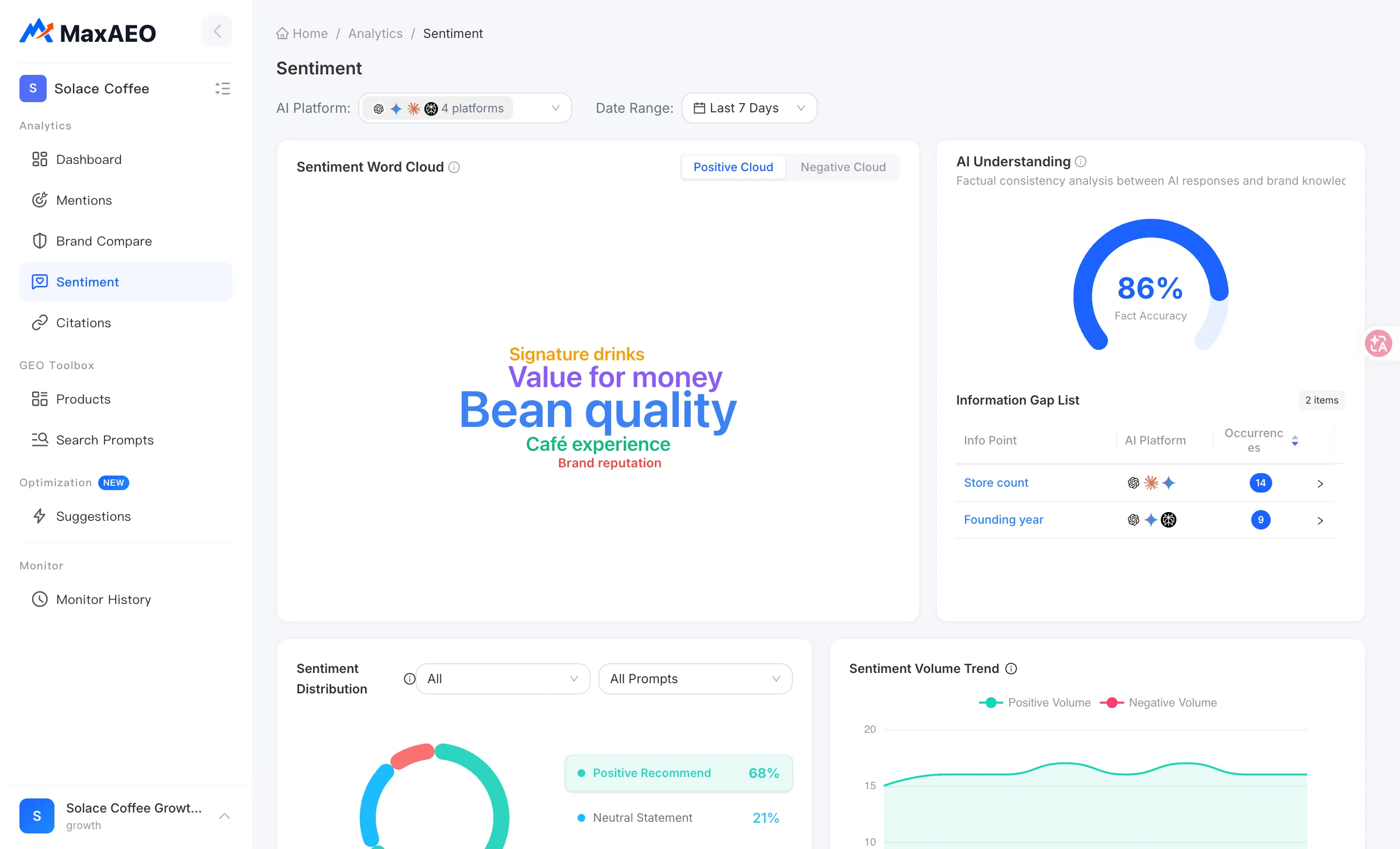
- Sentiment Distribution: a pie chart of positive/neutral/negative answers, filterable by intent (Product Recommend / Brand Compare / Product Evaluate) and by sentiment. Comparing intents is revealing — high positive share on recommendation prompts with high negative share on comparison prompts is a common pattern, because head-to-head comparisons naturally surface weaknesses.
- Sentiment tabs: answers grouped under Positive Recommend / Neutral Statement / Negative Dissuade with sampling summaries. Click “View all AI responses” to open the AI Response drawer showing each answer’s date, model, intent, market position, mentioned competitors, the full AI answer, and its sources.
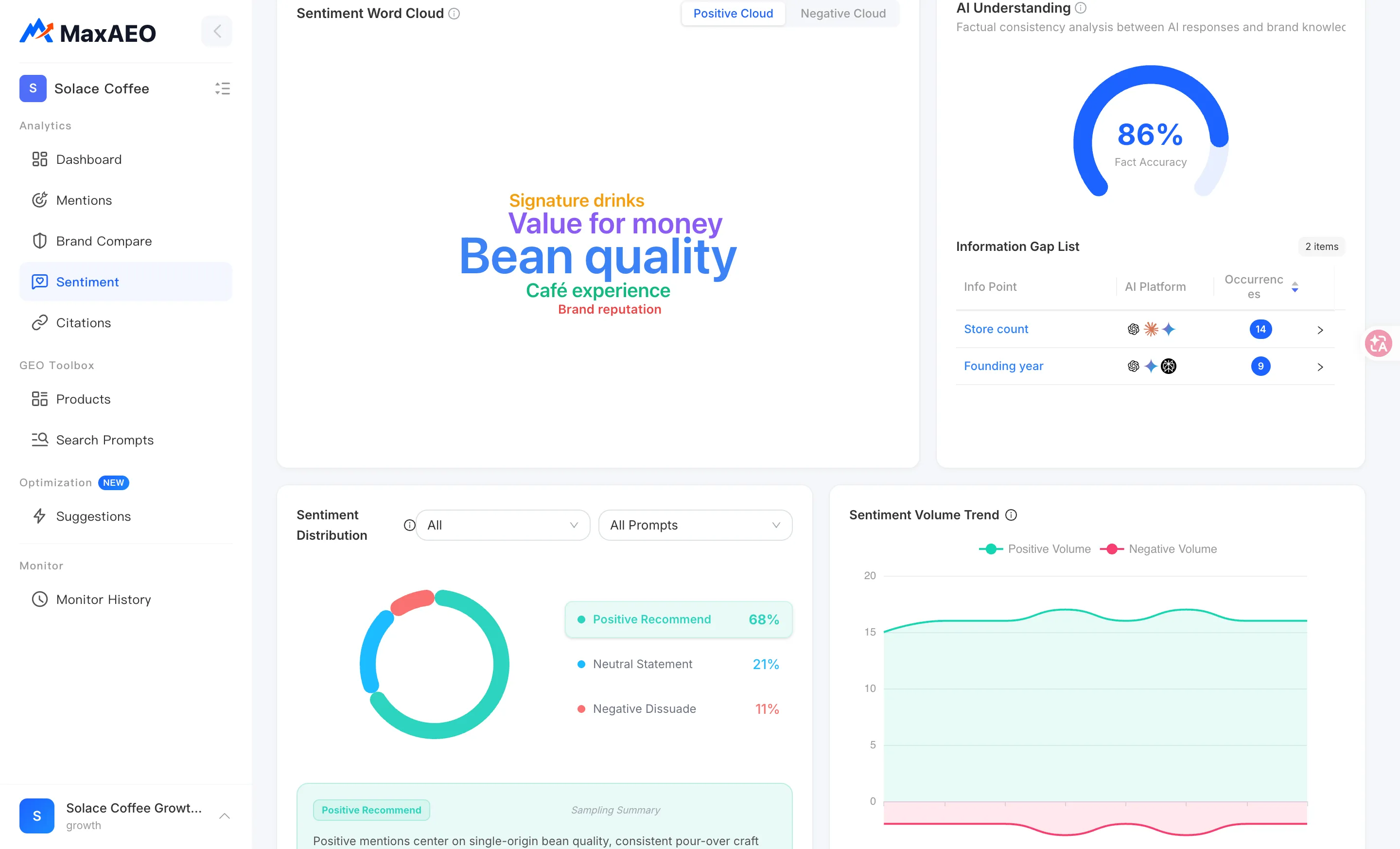
- Positive and Negative word clouds: keywords extracted from AI answer text — the bigger the word, the more often it appears. Click a word for details: mention count, proportion, and related excerpts. The positive cloud shows the strengths AI associates with you; the negative cloud shows the weaknesses it keeps repeating.
- Sentiment Volume Trend: daily counts of Positive Volume (answers recommending your brand) versus Negative Volume (answers discouraging users), so you can spot when reputation shifts started.
Standout capability: AI Understanding and Information Gap detection
Section titled “Standout capability: AI Understanding and Information Gap detection”The Sentiment page includes a capability that goes beyond counting tone: AI Understanding. It doesn’t ask “does AI like you” — it asks “is what AI says about you actually true?”
Negative statements come from two very different places. Sometimes AI accurately reports a real weakness. Other times AI simply has its facts wrong — quoting outdated pricing, misstating a feature limit, or attributing a competitor’s flaw to you. The second kind is pure information gap, and it’s the highest-leverage thing to fix: you don’t need to change your product, only correct what AI believes.
MaxAEO checks AI answers against your Brand Knowledge base for factual consistency:
- Fact Accuracy: a gauge showing the proportion of AI statements consistent with your brand’s real information.
- Information Gap List: each info point where an AI statement contradicts the facts, with the AI’s wording versus the real info, how many times it occurred, and which AI platforms are involved.
Here’s the closed loop for handling a gap:
-
Open an item in the Information Gap List and compare the AI Answer column against Real Info to confirm the AI statement is actually wrong.
-
If Real Info is empty (“No real info yet”), click Add now to jump to your Brand Knowledge and fill in the correct information — brand description and related profile fields.
-
What you add takes effect on the next monitoring run and becomes the baseline for future fact checks. A complete brand profile also gives you the factual source of truth for content work aimed at correcting AI’s beliefs.
How to read it — and what to do
Section titled “How to read it — and what to do”When negative share rises, read the actual answers before reacting. Switch to the Negative Dissuade tab and open the sampled answers in the AI Response drawer to pin down the source:
- Factual errors (wrong pricing, wrong feature claims) — verify them in the Information Gap List, update your Brand Knowledge, and publish the correct information on sources AI cites, starting with your own website.
- Real weaknesses (your free tier genuinely is limited) — that’s a product and content-strategy question; at minimum, content work can get AI to present your differentiated strengths alongside the weakness.
- Concentrated on one platform or one intent — cross-filter with the pie chart’s intent filter and the Dashboard’s platform filter, then address it surgically instead of worrying about the whole picture.
A single day’s swing is not a signal; a sustained trend is. AI answers are inherently non-deterministic: the same prompt can be worded differently tomorrow, nudging a classification between positive and neutral. That’s normal AI platform behavior, not a real reputation change. When reading the Sentiment Volume Trend, look for directional movement over consecutive days, not single-point spikes.