
Sentiment
The Sentiment page answers one question: when AI mentions your brand, is it praising you, describing you, or warning users away — and it lets you drill all the way down to the exact AI answers behind every number.
Why you need this page
Section titled “Why you need this page”Mention Rate tells you whether AI talks about you, but a mention is not a recommendation. “Brand A is feature-rich but pricey” and “Brand A is the top pick” have opposite effects on buyers. The Sentiment page splits every answer that mentions your brand by tone, so you can see three things:
- Proportions: how much praise, neutral description, and criticism you get, and how that changes by intent.
- Content: what AI keeps praising and keeps criticizing (word clouds), and how it actually phrases it (full answer text).
- Truth: how much of the negativity comes from AI getting its facts wrong (AI Understanding) — problems you fix by correcting AI’s knowledge, not by changing your product.
The page refreshes with every daily monitoring run. The project, AI platform, and time range filters at the top left apply here as everywhere else.
Sentiment Distribution
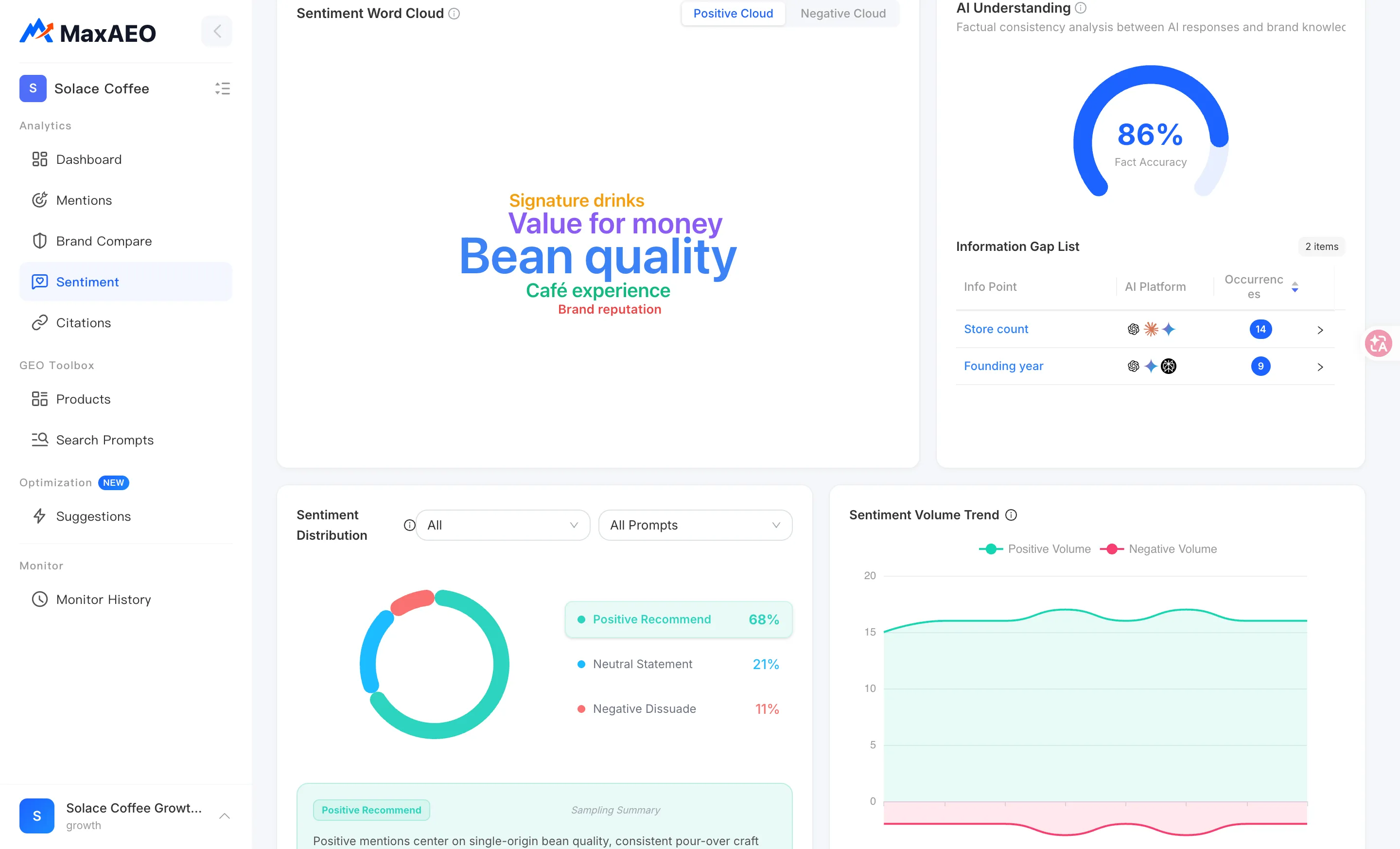
Section titled “Sentiment Distribution”At the top of the page, Sentiment Distribution is a pie chart showing how the AI answers that mention your brand split into positive (recommend), neutral, and negative (dissuade) under the current filters.
Two filters sit above the chart:
- Intent filter: All / Product Recommend / Brand Compare / Product Evaluate. Switching intents reveals how AI’s tone shifts by scenario — a high positive share on recommendation prompts alongside a higher negative share on comparison prompts is a common pattern, because head-to-head comparisons naturally surface weaknesses.
- Sentiment filter: All Sentiments / Positive / Neutral / Negative, for zooming in on one category.
How to use it: read the overall split first to establish a baseline, then step through each intent to find where negativity concentrates. If nearly all of it comes from Brand Compare, your response (publish comparison content, lead with your differentiators) is very different than if negativity is spread evenly.
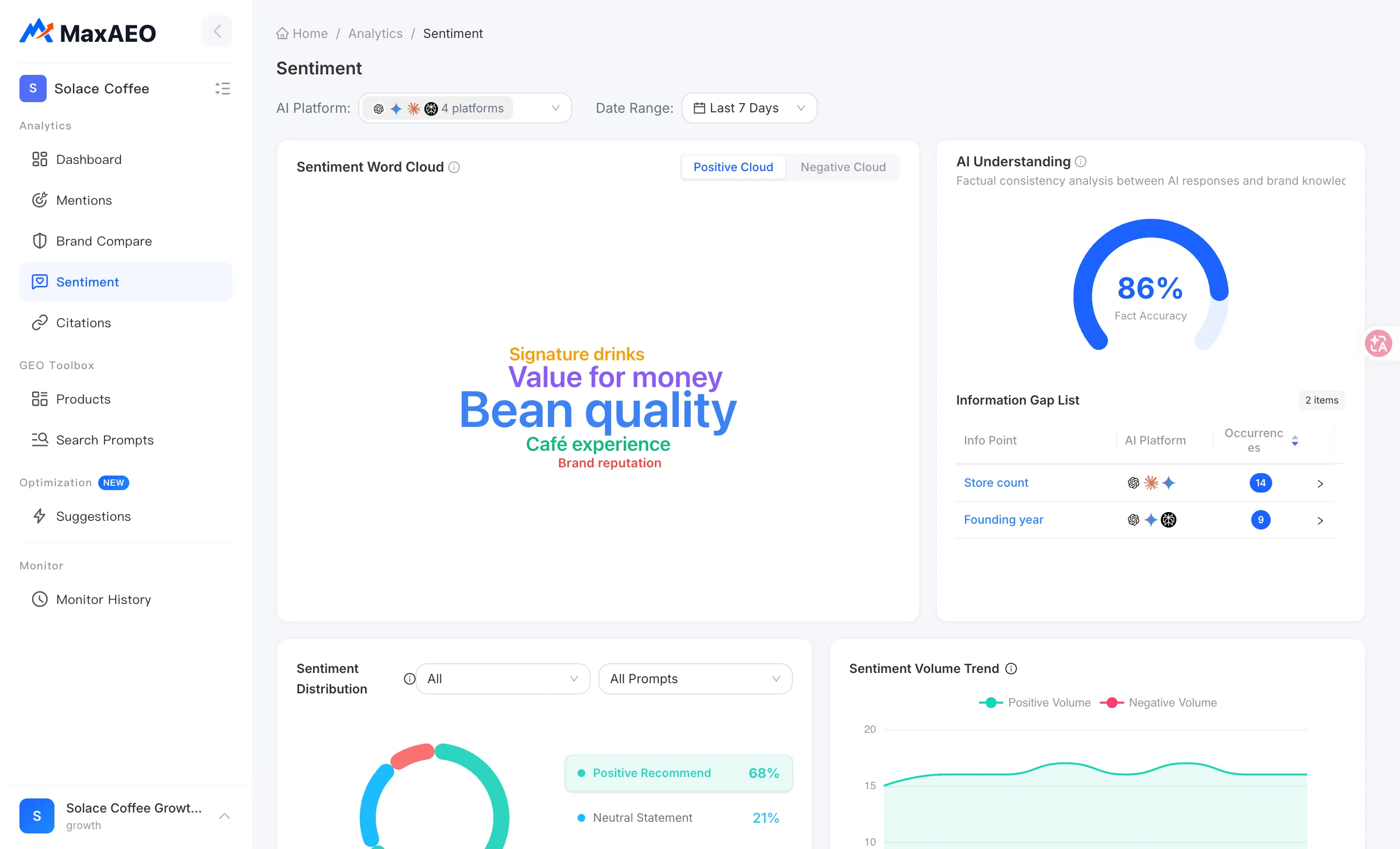
Sentiment tabs: Positive Recommend / Neutral Statement / Negative Dissuade
Section titled “Sentiment tabs: Positive Recommend / Neutral Statement / Negative Dissuade”Next to the chart are three sentiment tabs: Positive Recommend, Neutral Statement, and Negative Dissuade. Each tab shows a Sampling Summary — representative excerpts pulled from the answers in that category, so you can grasp how AI typically talks in that tone without reading every response.
Click “View all AI responses →” to open the AI Response drawer and go through the full answers in that category one by one.
How to use it: in your routine check, read the Negative Dissuade sampling summary first — it’s the condensed version of your negative reputation. If you spot a claim you don’t recognize (wrong price, a feature AI says you lack), that’s your cue to open the full answers and check the Information Gap List.
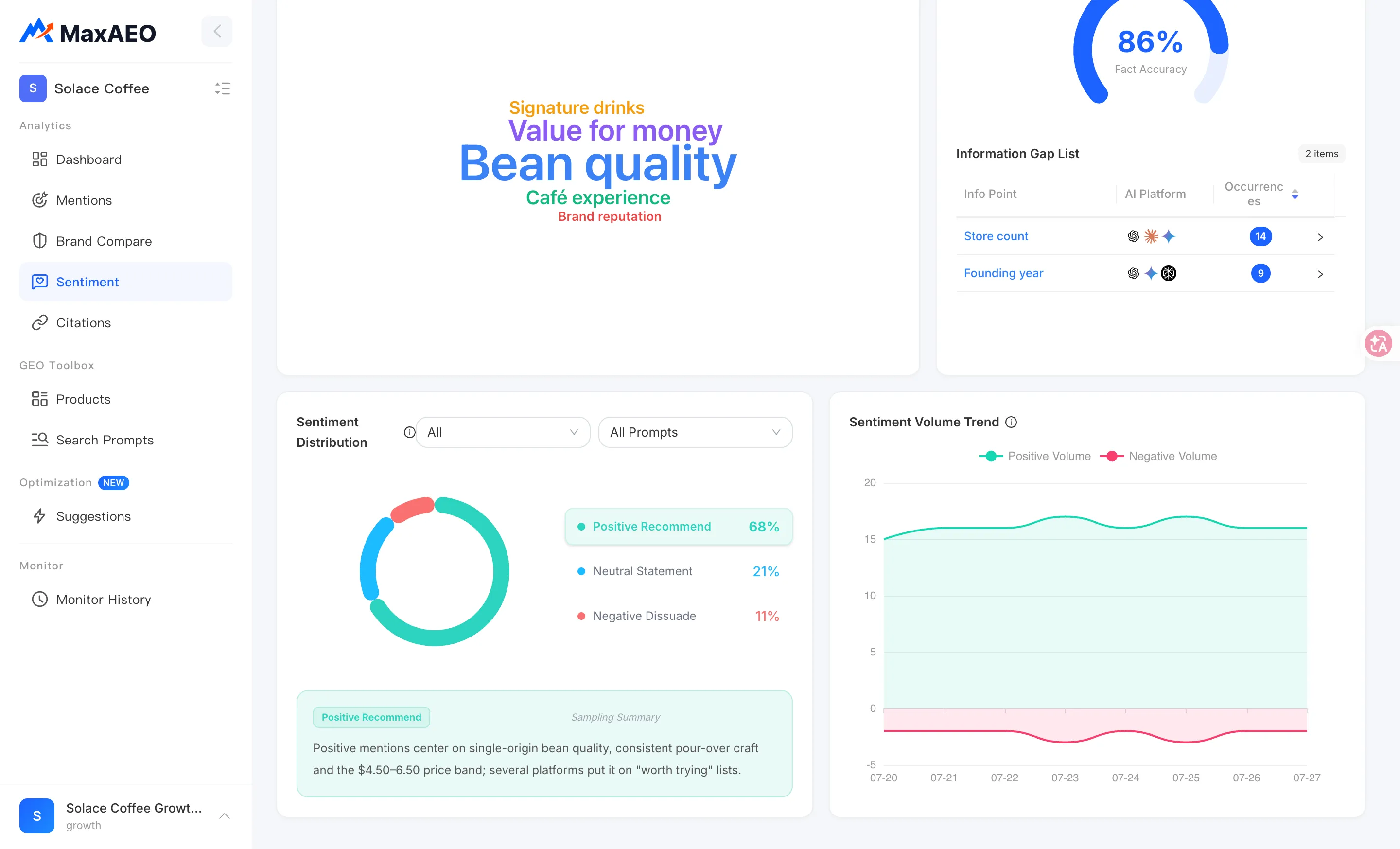
Positive and Negative word clouds
Section titled “Positive and Negative word clouds”The Sentiment Word Cloud comes in two panels — Positive Cloud and Negative Cloud. Keywords are extracted from AI answer text; the bigger the word, the more often it appears within the selected time range and platforms.
- The Positive Cloud shows the strengths AI already associates with you — themes worth reinforcing in your content.
- The Negative Cloud shows the weaknesses AI keeps repeating — the bigger the word, the higher the priority.
Click any word to open its details:
- Mention Count: how many times the word appears in AI answers.
- Proportion: its share among words of that sentiment.
- Related Excerpts: the actual answer snippets containing the word, so you can verify its real context — the same word can be praise in one sentence and criticism in another.
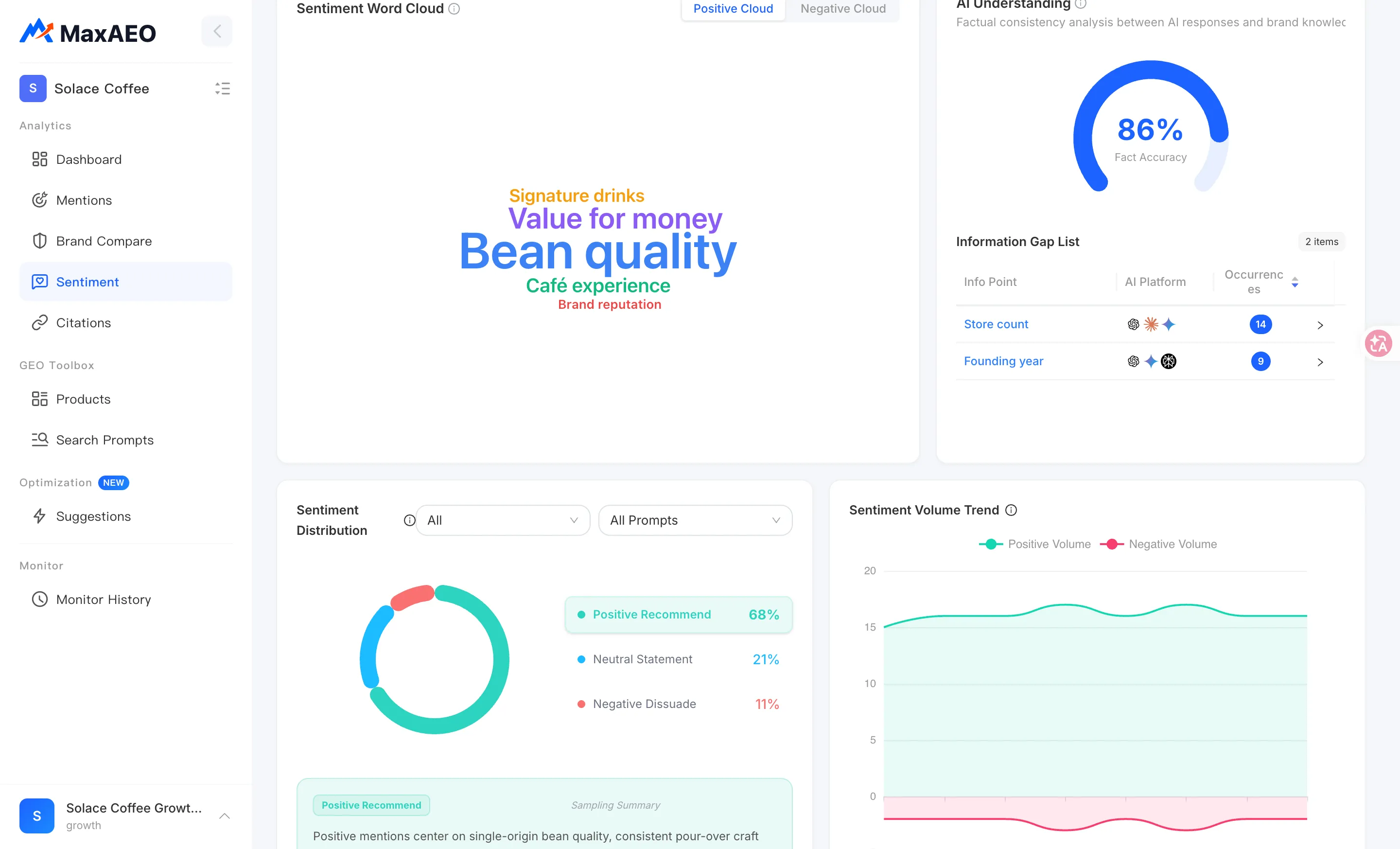
Sentiment Volume Trend
Section titled “Sentiment Volume Trend”Sentiment Volume Trend plots two daily lines:
- Positive Volume: answers that day where AI recommends your brand.
- Negative Volume: answers that day where AI criticizes it or steers users away.
How to read it: this chart is for finding when things changed. The pie chart tells you today’s ratio; the trend tells you when it started moving. If Negative Volume starts climbing on a given day and stays up, think about what happened around then — a competitor published a comparison piece, a critical review got picked up by AI, your pricing page changed — and use Citations to see which sources AI started pulling from.
Don’t panic over single-day spikes. AI answers are inherently non-deterministic: the same monitoring prompt gets worded differently from day to day, and classifications naturally flicker between positive and neutral. Look for directional movement over consecutive days.
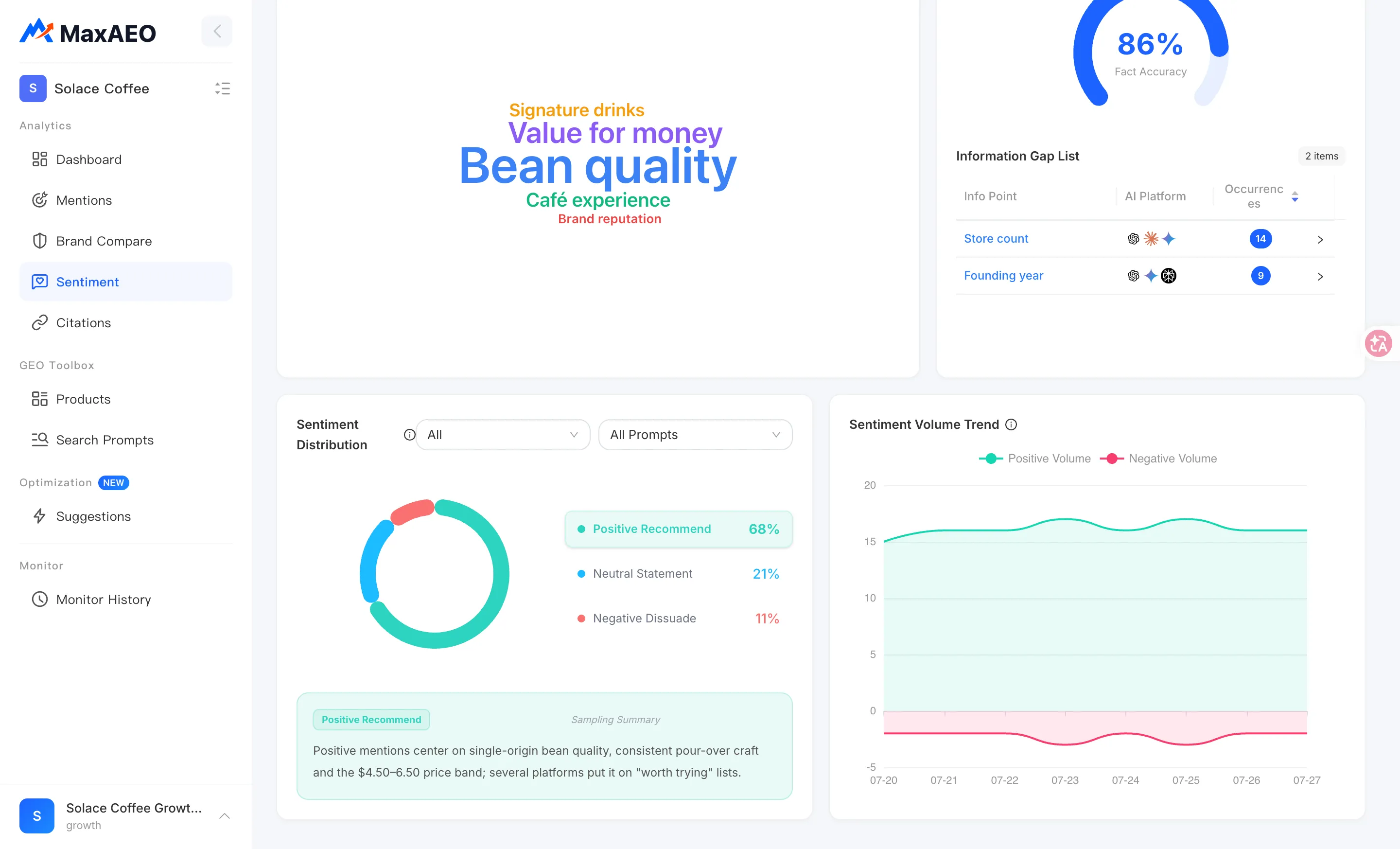
AI Understanding: Fact Accuracy and Information Gaps
Section titled “AI Understanding: Fact Accuracy and Information Gaps”The AI Understanding module doesn’t ask whether AI likes you — it asks whether what AI says about you is true. It checks AI answers against your Brand Knowledge for factual consistency, in two parts:
- Fact Accuracy: a half-ring gauge showing the proportion of AI statements consistent with your brand’s real information.
- Information Gap List: every info point where AI’s statement contradicts the facts, with these columns:
| Column | Meaning |
|---|---|
| Info Point | The specific piece of information in dispute (pricing, a feature’s availability, and so on) |
| AI Answer vs Real Info | AI’s actual wording side by side with the correct information from your Brand Knowledge |
| Occurrences | How many times this incorrect statement appeared in monitored answers |
| Platforms Involved | Which AI platforms produced it |
When you find a gap:
-
Compare the AI Answer and Real Info columns to confirm AI is actually wrong — sometimes AI is quoting an outdated fact, which is also a reminder that your knowledge base needs updating.
-
If Real Info is empty (“No real info yet”), your Brand Knowledge doesn’t yet cover this point. Click Add now to jump to Brand Knowledge and fill in the correct information in your brand description and profile fields.
-
What you add takes effect on the next monitoring run and becomes the baseline for future fact checks. For gaps with high occurrence counts across multiple platforms, also publish the correct information on sources AI cites — starting with your own website — to fix AI’s beliefs at the source. Optimization can generate the content actions for this.
The AI Response drawer
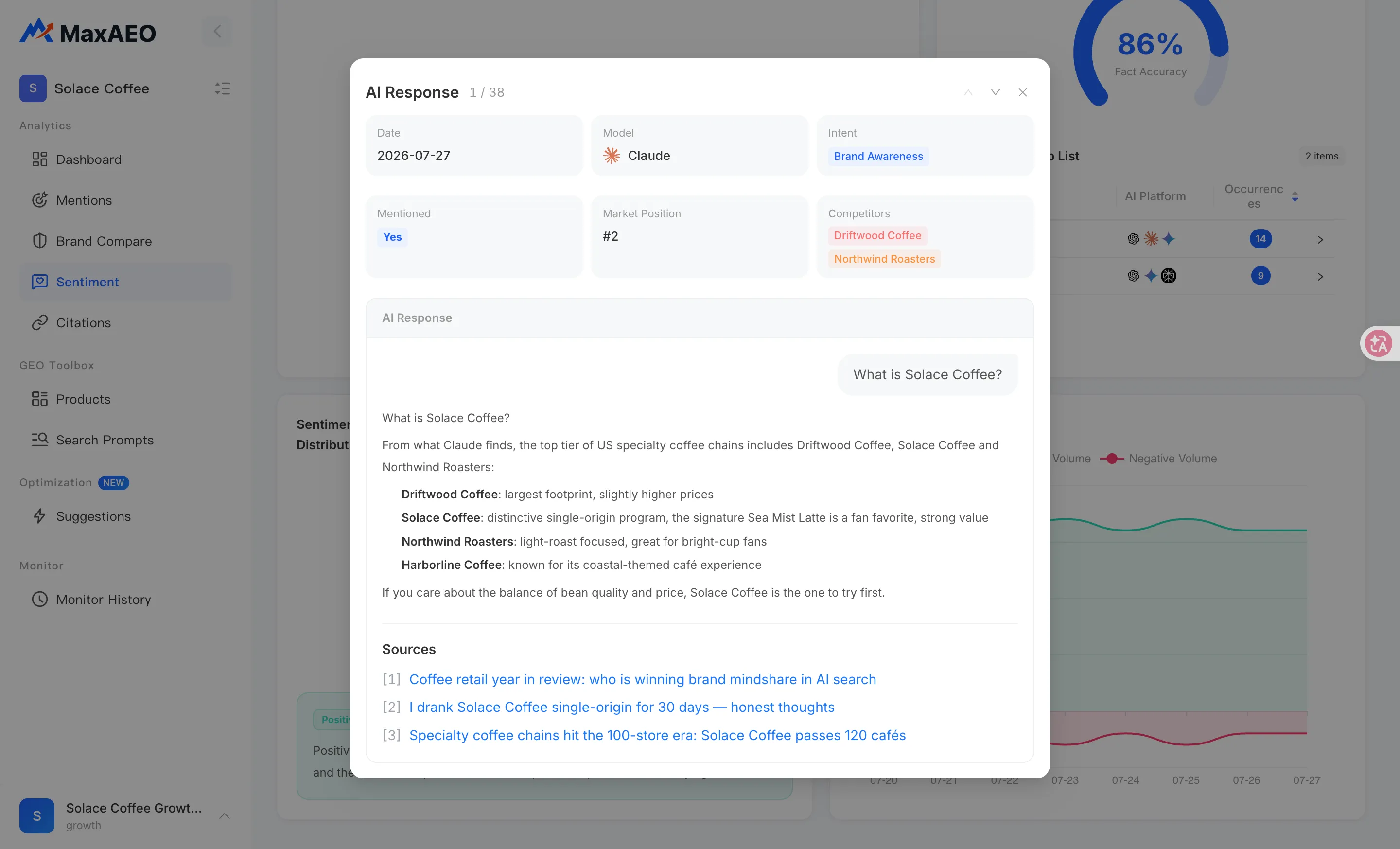
Section titled “The AI Response drawer”Several entry points on the page — including “View all AI responses” in the sentiment tabs — open the AI Response drawer. This is the ground truth behind every sentiment number, and any interpretation should ultimately come back to the answer text here. The drawer shows:
- Date: which monitoring run produced the answer.
- Model: which AI platform/model wrote it.
- Intent: the intent category of the monitoring prompt.
- Mentioned: whether the answer mentions your brand.
- Market Position: where you appeared in the recommendation order, when mentioned.
- Competitors: which competitors appear in the same answer.
- AI Response: the full answer, rendered as Markdown — exactly what a user would read.
- Sources: the external links the answer cites.
How to use it: for a negative answer, check Sources first — AI’s criticism usually traces back to a specific piece of content it cited, and finding that content gives you a concrete target. Then check Competitors — if the negativity always appears alongside the same competitor, it likely comes from comparison-style sources.
When negative share rises: an investigation checklist
Section titled “When negative share rises: an investigation checklist”-
Confirm it’s a trend, not a blip: check the Sentiment Volume Trend for Negative Volume rising over consecutive days. A one-day swing is normal AI randomness and needs no action.
-
Locate the scenario: step through the intent filter on the Sentiment Distribution chart, combined with the AI platform filter at the top of the page, to find which intent and which platform the negativity concentrates in.
-
Read the answers: switch to the Negative Dissuade tab, open the AI Response drawer, and read the full negative answers with their source links — establish exactly what AI is criticizing and what it’s basing that on.
-
Separate fact from fiction: cross-check against the Information Gap List in AI Understanding. If the negative claim contradicts your real information, it’s a factual error — click Add now to update Brand Knowledge (takes effect on the next monitoring run) and publish the correct facts on the sources AI cites. If it’s a genuine weakness, treat it as a content-strategy problem: get AI to present your differentiated strengths alongside the weakness.
-
Turn it into action: convert your conclusions into concrete content work — Optimization generates a prioritized action list with article drafts based on your monitoring data. After publishing, watch the volume trend for Negative Volume to recede.