
Competitors
Competitors is a tab on the Products page where you maintain the competitor list for the current project — the brands you’re measured against. Every monitoring run tracks each competitor on this list alongside your own brand, and Competitive Rank, Brand Compare, and the brand ranking table on the Dashboard are all calculated from it.
Why this list deserves real thought
Section titled “Why this list deserves real thought”Competitive Rank answers one question: among the options a buyer would actually consider, who does AI recommend most? How useful that answer is depends entirely on who you put on the list:
- A list of direct rivals: the rank reflects your real competitive landscape. Say your Mention Rate is 18% and your four direct competitors sit between 5% and 25% — you rank #2, and every position you gain or lose maps to a real shift worth acting on.
- A list stuffed with industry giants: you’ll sit at the bottom forever with nothing to act on. The same 18% Mention Rate against a household name at 60% keeps you permanently last — you can’t see how you’re doing against your actual peers, and the rank produces no usable conclusion.
In short: add the alternatives your buyers weigh you against, not the market leaders you look up to.
The interface and how to use it
Section titled “The interface and how to use it”Open Products and switch to the Competitors tab. The Competitor Monitor overview card at the top of the page shows how many competitors you’ve added.
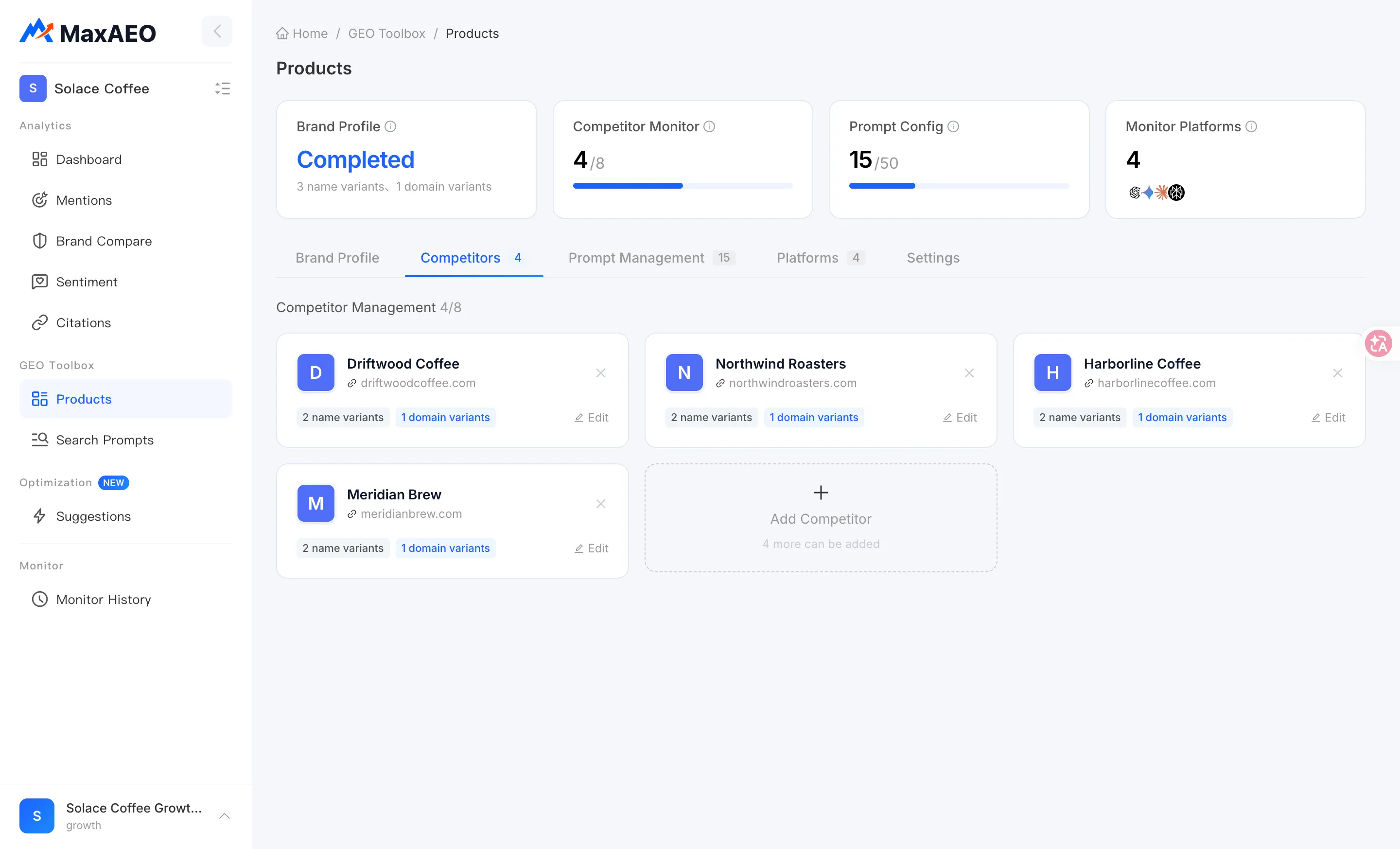
Competitor list
Section titled “Competitor list”The list shows every competitor in the current project, each with its Competitor Name and Website URL (competitors without a URL show “Not filled”).
Add a competitor
Section titled “Add a competitor”-
Click Add Competitor to open the New Competitor dialog.
-
Enter the Competitor Name (required) and Website URL (optional). Adding the URL is worth the few seconds — it helps the system identify that competitor more accurately and makes citation-source attribution more reliable.
-
Click Confirm. When you see “Saved successfully. Changes will take effect in the next monitoring cycle.”, the competitor is in.
Remove a competitor
Section titled “Remove a competitor”Delete the entry from the list and confirm. Removal also applies from the next monitoring cycle — later runs stop tracking that competitor.
Quota display
Section titled “Quota display”Near the list you’ll see “N more can be added”. The number of competitors per project depends on your plan: 5 per brand on Starter, 8 per brand on Growth and Pro, and unlimited on Enterprise. Once you hit the cap, adding another triggers a quota notice with an upgrade path — see Plans & Quotas.
Where the list comes from
Section titled “Where the list comes from”- AI suggestions: when you create a project, the AI analysis stage of the New Project Wizard automatically identifies your likely competitors and their aliases from your brand and website, giving you a starting list to review.
- Manual curation: once monitoring has been running, the data itself surfaces new rivals — the per-prompt competitor rankings in Mentions and the other brands named in AI answers on the Sentiment page are both good sources. If an unfamiliar brand keeps showing up next to yours in the same AI answers, it probably belongs on the list.
Three rules for choosing competitors
Section titled “Three rules for choosing competitors”- Pick alternatives, not benchmarks. Ask: “would a buyer put this brand and mine on the same shortlist?” If yes, add it. If it’s merely famous but serves a different audience, leave it out.
- Prefer the same segment and scale. Rivals with similar pricing, audience, and product shape make rank movements attributable — and actionable.
- Let the data calibrate the list. Regularly check which brands actually appear alongside you in monitoring results. If AI answers keep recommending a brand next to yours, AI already treats it as your competitor — whether you do or not.
What the list affects
Section titled “What the list affects”| View | What depends on your competitor list |
|---|---|
| Competitive Rank | The ranking pool = your brand + competitors; the Dashboard KPI card shows “competing among N brands” |
| Dashboard | The brand ranking table and the competitor curves in the Mention Rate trend chart |
| Brand Compare | The pool of brands you can select for comparison (up to 5 at a time) |
| Mentions detail | The per-prompt competitor mention ranking |