
Enterprise
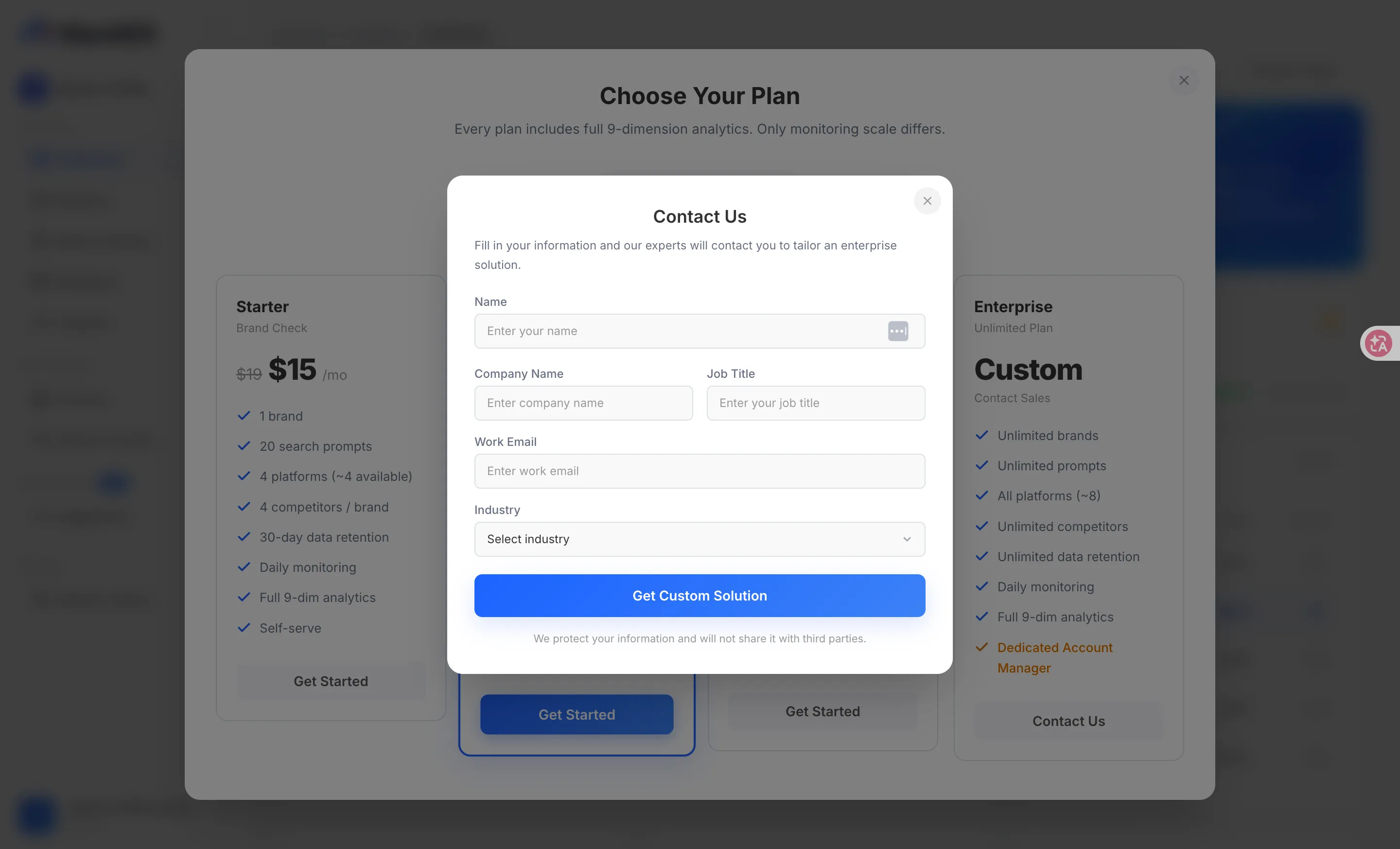
Enterprise is MaxAEO’s Unlimited Plan: instead of a fixed price, it’s scoped to your actual needs — you submit your details through a contact form, and a dedicated advisor works out a custom solution with you.
When Enterprise makes sense
Section titled “When Enterprise makes sense”Consider Enterprise when the standard tiers (Starter, Growth, Pro) no longer fit — either the quotas are too small or you need service beyond self-serve:
- More than 4 brands: Pro tops out at 4 brands (projects). Larger brand portfolios need unlimited brands.
- More than 400 search prompts: a question matrix spanning multiple brands and markets quickly outgrows Pro’s 400-prompt cap.
- Every AI platform: standard plans monitor up to 4 platforms at once; Enterprise unlocks all available platforms.
- Unlimited competitors and data retention: no cap on competitors, and your history stays viewable indefinitely — ideal for long-horizon reviews.
- Dedicated service: Enterprise comes with a Dedicated Account Manager; standard plans are self-serve.
For a full quota comparison across tiers, see Plans & Quotas.
How to get in touch
Section titled “How to get in touch”Enterprise doesn’t go through self-serve checkout. You submit your details, and sales takes it from there:
-
Open the user menu in the top-right corner and select “Plans & Pricing” to open the pricing modal.
-
Find the Enterprise card (priced as “Custom”) and click “Contact Sales” to open the “Contact Us” form.
-
Fill in your Name, Company Name, Job Title (optional), and Work Email, then pick your Industry from the dropdown — there are 23 options (Internet/AI, E-commerce, Finance, Education/Training, and more), and choosing “Other” lets you type your own.
-
Click “Get Custom Solution” to submit.
What happens next
Section titled “What happens next”After you submit, a “Submitted Successfully” confirmation appears. A dedicated consultant will contact you within 3 days to design a solution around your brand count, monitoring scope, and industry.