Robots.txt for AI crawlers is a per-user-agent file telling compliant bots which URL paths they may request. It controls fetching only — not training that already happened, not indexing, and not how a model uses text it already holds.
Writing it is not one decision. It is three, and most teams make all three at once with a single copy-pasted block from a Slack thread.
The three decisions: do you want to feed model training, do you want to be eligible for citations, and do you want to be readable when a human asks a live question. Different user-agents control each. Block the wrong token and you keep the exposure you meant to stop while losing the visibility you meant to keep.
We audited 412 tracked domains to see how often that happens. Often: 60% of sites blocking GPTBot were also blocking the crawler that actually produces ChatGPT citations.
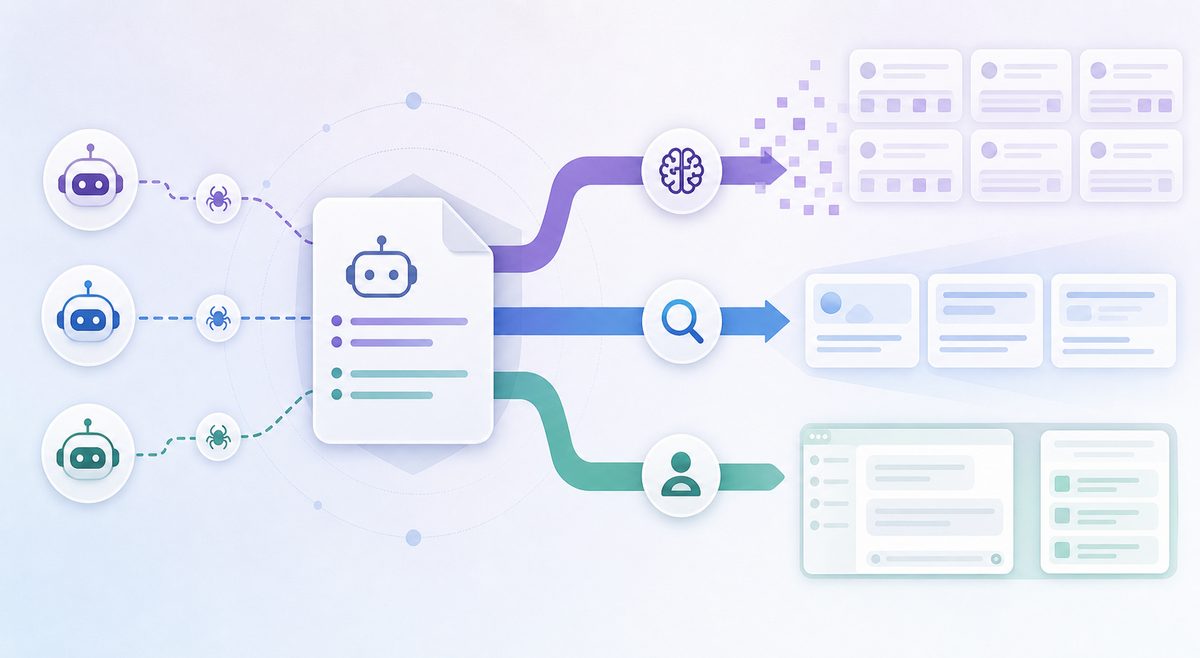
What does robots.txt for AI crawlers actually control?
It is a published request governed by RFC 9309, honored voluntarily, enforced by nobody.
That distinction matters more than any bot list:
- Nothing is retroactive. A model trained on your 2024 pages still describes your product from memory after you block every crawler on earth.
- It cannot express usage terms. There is no way to say "use my content but don’t train on it" — only "don’t fetch this path." Vendors approximate the nuance by shipping separate user-agents for separate purposes, which is why the token you name is the whole ballgame.
- It does not remove you from an index. A disallowed URL can still be listed from third-party links; robots.txt blocks the fetch, not the reference.
The three jobs AI bots do
Every major AI agent falls into one of three lanes. Sort by lane instead of by vendor and the cost of each rule becomes obvious.
Training crawlers build the model’s memory
These bots harvest text into pretraining corpora. Zero referral traffic, zero citations. Cloudflare’s network analysis found training accounts for roughly 80% of AI bot crawling, with user-action fetches under 5% — and in the first week of August 2025, Anthropic’s crawlers made about 50,000 requests per referral sent back, versus 887:1 for OpenAI and 118:1 for Perplexity.
Members: GPTBot, ClaudeBot, CCBot, Bytespider, meta-externalagent, Amazonbot, Google-Extended, Applebot-Extended.
Retrieval crawlers build the citation shortlist
These maintain the index an answer engine searches when it needs a source. This lane is where AI citations are won or lost. Block a retrieval crawler and you are not on the shortlist — not because you ranked poorly, but because you were never a candidate.
Members: OAI-SearchBot, Claude-SearchBot, PerplexityBot, Googlebot, bingbot, Applebot.
User-triggered fetchers answer one live question
These fire when a specific human asks something and the assistant needs the page right now. They produce the live-read behavior described in how AI browsers read your site in real time, and they matter for accuracy: if ChatGPT-User cannot reach your pricing page, ChatGPT answers from a stale memory of it.
Members: ChatGPT-User, Claude-User, Perplexity-User, meta-externalfetcher, MistralAI-User.
| Vendor | Training token | Retrieval token | User-fetch token |
|---|---|---|---|
| OpenAI | GPTBot | OAI-SearchBot | ChatGPT-User |
| Anthropic | ClaudeBot | Claude-SearchBot | Claude-User |
| Google-Extended | Googlebot | — | |
| Perplexity | — | PerplexityBot | Perplexity-User |
| Microsoft | (meta tags, not robots) | bingbot | — |
| Apple | Applebot-Extended | Applebot | — |
| Meta | meta-externalagent | — | meta-externalfetcher |
Two compliance notes worth a sticky note. Anthropic states that all three Claude agents honor robots.txt, including the user-initiated one. Perplexity takes the opposite position — its help center explains that Perplexity-User acts on a user’s behalf rather than as a crawler, so a robots.txt disallow is not treated as binding for it.
For a per-vendor breakdown of behavior and crawl volume, our comparison of GPTBot, ClaudeBot and PerplexityBot goes agent by agent.
The cost ledger: what each rule actually charges you
Price every robots.txt line in four currencies — training exposure, citation eligibility, live-answer accuracy, and referral traffic. Most published guides price only the first, which is why so much advice reads as confidently wrong.
| Rule you add | What it stops | What it does not stop | Real cost |
|---|---|---|---|
Disallow: / for GPTBot |
Future pretraining ingestion | ChatGPT citations, ChatGPT search, live fetches | Near zero visibility cost |
Disallow: / for OAI-SearchBot |
Inclusion in ChatGPT’s search index | Unlinked brand mentions from memory or third-party pages | Severe: you leave the citation pool |
Disallow: / for ChatGPT-User |
Live page reads during a user’s session | Cached or indexed knowledge | Answers go stale; pricing and feature claims drift |
Disallow: / for ClaudeBot |
Claude model training | Claude-SearchBot indexing, Claude-User fetches | Low visibility cost |
Disallow: / for PerplexityBot |
Full-text indexing | Domain, headline and a brief factual summary | High: Perplexity cites constantly |
Disallow: / for Google-Extended |
Gemini/Vertex training, some grounding use | AI Overviews, AI Mode, Search rankings | Ambiguous — see below |
Disallow: / for Googlebot |
Everything | Nothing | Catastrophic: you exit Search and AI Overviews |
The single most useful row is the first. Blocking GPTBot is a training decision with almost no citation consequence, because OpenAI’s own crawler documentation assigns search inclusion to OAI-SearchBot, a separate token with a separate IP range file. Teams who block GPTBot "to protect our content" and then panic about disappearing from ChatGPT are usually looking at the wrong line in their own file.
What we found auditing 412 tracked domains
Here is the part a generic bot list will not give you. We pulled robots.txt from 412 B2B SaaS and tech domains tracked in MaxAEO, parsed every user-agent group, and cross-referenced each file against 90 days of daily answer tracking — roughly 187,000 recorded answers across 2,100 buyer-intent prompts on ChatGPT, Perplexity, Google AI Mode, Claude and Copilot. Files fetched April–June 2026.
156 domains (37.9%) disallowed at least one AI user-agent. Expected. The interesting findings were in which agents.
Blocking GPTBot cost essentially nothing
We built 41 matched pairs: one domain blocking GPTBot only (retrieval agents left open), one peer of similar category and organic traffic band allowing everything. Over 90 days, the GPTBot-blocking group was cited in 12.4% of tracked ChatGPT prompts; the fully-open group, 13.1%.
That 0.7-point gap sits inside our week-to-week noise band for a sample this size. Translation for the budget meeting: the training opt-out is close to free in ChatGPT today. It is a legal and licensing decision, not a visibility one.
Caveat worth stating plainly: this holds while OpenAI keeps search inclusion on a separate token. If that ever merges, the row above flips overnight — which is why the audit is a recurring task, not a one-time cleanup.
Blocking the retrieval crawler cost almost everything
The same panel tells a very different story for OAI-SearchBot. Domains disallowing it averaged a 2.1% ChatGPT citation rate versus 12.8% for allowed peers — a six-fold gap on the surface that actually links back to your site.
The residual 2.1% is the genuinely interesting number. It comes from parametric memory and from third-party pages the model can reach — review sites, directories, Reddit threads, comparison posts. Unlinked brand mentions held at 9.6% for the blocked group: ChatGPT still talked about these companies, it just described them in someone else’s words and sent no traffic. That gap between mention and citation is exactly the case for deliberate third-party source building rather than treating your own domain as the only surface that matters.

60% of GPTBot blockers were also blocking retrieval
148 domains disallowed GPTBot. Of those, 89 (60.1%) also disallowed at least one retrieval agent — OAI-SearchBot, Claude-SearchBot or PerplexityBot.
Almost none appeared to have decided that. Reading the files, the pattern was blunt: a stacked list of "AI bots" pasted from a blog post, alphabetized, with no lane separation. One directive of intent, five directives of collateral damage.
11.4% of AI directives named a bot that does not exist
47 domains had at least one rule targeting a token no vendor publishes: ChatGPT, OpenAI, GPT-4, Claude, AI, and version-suffixed forms like GPTBot/1.2. These rules block nothing and are never reported as errors — robots.txt has no validator that fails on a fictional user-agent.
Token matching is case-insensitive, so gptbot is fine — that particular worry is a myth. What breaks things is inventing a product name or appending a version, since parsers match the published product token, not the full user-agent string.
34 domains accidentally opened doors with a "block" rule
Counterintuitive enough to earn its own section below. 34 domains (8.3%) added a named AI group that silently voided their wildcard protections, granting the named bot access to a median of 6 paths their User-agent: * group was explicitly blocking — admin routes, faceted URLs, internal search pages, and in three cases a staging subdirectory.
They wrote a rule intending restriction. The parser read it as a permission.
Why does a wildcard rule stop applying the moment you name a bot?
Because a crawler obeys exactly one group. Google’s robots.txt specification states that only one group is valid for a particular crawler, and that user-agent-specific groups and the global * group are not combined.
Once OAI-SearchBot appears anywhere as a user-agent line, that bot stops reading the * group entirely. Every protective rule you wrote there vanishes for it.
Watch it break:
User-agent: *
Disallow: /wp-admin/
Disallow: /internal-search
Disallow: /*?sort=

User-agent: OAI-SearchBot
Allow: /
The author meant "and definitely let the ChatGPT crawler in." What shipped is "OAI-SearchBot may crawl /wp-admin/, every internal search page, and every sort-parameter permutation, forever." The fix is unglamorous: repeat your protective rules inside every named group. There is no inheritance to lean on.
Conflict resolution inside a group is separate and simpler — the longest matching path wins, and a tie goes to the least restrictive rule.
Google is the exception that breaks every checklist
Google-Extended does not control AI Overviews or AI Mode. It is a training and grounding consent token for Gemini apps and the Vertex AI API, and Google’s crawler documentation is explicit that it does not affect Search ranking.
AI Overviews and AI Mode are built on the ordinary Googlebot index. There is no token that removes you from AI Overviews while keeping you in the ten blue links. The only lever that stops AI Overviews is blocking Googlebot, which also deletes you from Search.
Two partial levers exist, and both are meta tags rather than robots.txt directives: nosnippet suppresses the text excerpt Google can show, and max-snippet:[n] caps its length. Both reduce what an AI Overview can quote from you — and both equally shrink your normal search snippet, so the trade is real.
One honest caveat most guides skip: Google’s own description of Google-Extended covers grounded Gemini responses as well as training. If Gemini is a channel you care about, blocking that token is not the free lunch that blocking GPTBot is. Decide it deliberately rather than by list.
Bing and Copilot: the control isn’t in robots.txt at all
Microsoft ships no Copilot-specific crawler. Copilot answers are assembled from the bingbot index, which means your robots.txt has exactly one Microsoft lever, and pulling it removes you from Bing search too.
The nuance lives in meta tags. Microsoft’s webmaster team documented that NOARCHIVE excludes a page from Bing Chat answers and links entirely, while NOCACHE permits URL, title and snippet only — and both tags leave normal Bing search results intact.
This is why "block AI in robots.txt" is an incoherent instruction across engines. Each answer engine draws from a different index with different controls, which our map of which search index powers each AI engine lays out engine by engine.
A working robots.txt for AI crawlers
Deploy in this order. Each step exists because we watched it go wrong on real domains.
- Fetch and archive your current file. Save a timestamped copy before touching anything.
- Sort every existing directive into a lane — training, retrieval, user-fetch, traditional search, unknown scraper. Do not edit until every line is classified.
- Delete rules naming tokens no vendor publishes. They are noise and they hide real rules.
- Copy your
*group’s protective paths into every named group. No inheritance, no exceptions. - Ship during a low-traffic window, then grep logs for 48 hours before declaring victory.
The result, for a team that wants to stay out of training corpora while staying eligible for citations:
# Training crawlers — no citation surface attached
User-agent: GPTBot
User-agent: ClaudeBot
User-agent: CCBot
User-agent: Bytespider
User-agent: meta-externalagent
User-agent: Amazonbot
Disallow: /

# Retrieval crawlers — these feed AI citations. Keep open.
User-agent: OAI-SearchBot
User-agent: Claude-SearchBot
User-agent: PerplexityBot
User-agent: Applebot
Allow: /
Disallow: /wp-admin/
Disallow: /internal-search
Disallow: /*?sort=

# User-triggered fetchers — one page, one live human question
User-agent: ChatGPT-User
User-agent: Claude-User
User-agent: Perplexity-User
User-agent: meta-externalfetcher
Allow: /
Disallow: /wp-admin/

# Google-Extended is training + Gemini grounding consent.
# It does NOT affect AI Overviews or AI Mode. Enable only if you
# accept reduced Gemini grounding use.
# User-agent: Google-Extended
# Disallow: /

User-agent: *
Disallow: /wp-admin/
Disallow: /internal-search
Disallow: /*?sort=

Sitemap: https://example.com/sitemap.xml
Multiple user-agent lines per group is valid syntax, and it keeps lanes visually separate for whoever inherits this file.
Three deployment details that bite in production:
- The file must live at the domain root and return 200.
https://example.com/robots.txtonly — a rule at/blog/robots.txtgoverns nothing, and subdomains need their own file. - A 5xx on robots.txt is read as "disallow everything" by major crawlers, so an outage on that one path can pause AI retrieval site-wide. Serve it statically if you can.
- Crawl-delay is not honored by Googlebot or most AI crawlers. If you need rate control, do it at the edge, not here.
Pair the file with a hand-written summary file if you want machine-readable context — though it’s worth understanding what llms.txt can and cannot do next to robots.txt before you spend a sprint on it.
Robots.txt is a request. The real block lives upstream
A clean robots.txt guarantees nothing, because your CDN or WAF decides who reaches the origin. In our audit, several domains with permissive files were still failing retrieval crawlers at the edge — bot-management rules, aggressive rate limits, JavaScript challenges, and managed robots.txt features that silently append directives you never wrote.
The failure mode is nasty because it is invisible from the file. Your robots.txt says Allow: / and your logs show a wall of 403s. Diagnosing that means reading responses, not directives.
Verify in this order:
- Grep logs for each token —
GPTBot,OAI-SearchBot,ChatGPT-User,PerplexityBot,Claude-SearchBot. - Confirm the requests are genuine by checking source IPs against the vendor’s published range file. OpenAI, Anthropic, Google and Perplexity all publish one precisely so you can tell a real crawler from something wearing its name.
- Confirm the response code was 200 — not 403, not 429, not a 200 that returns a challenge page instead of your content.
Step 3 catches the case most audits miss: a challenge interstitial returns a successful status with none of your text in it, so the crawler logs a hit and indexes nothing.
How long until an unblock shows up in answers?
Longer than the documentation implies. OpenAI notes it takes about 24 hours for a robots.txt change to register for search — but that is the rule being read, not your content being re-indexed, re-embedded and re-ranked.
Across nine domains in our panel that removed a retrieval-agent disallow during the tracking window, median time to first new ChatGPT citation was 11 days, with a range of 3 to 34 days. The slow cases were sites with thin internal linking and no fresh sitemap signal.
Two practical consequences. First, do not judge an unblock after a weekend. Second, budget the same lag into any URL change — retrieval indexes hold old addresses for a while.
You can shorten the tail. In the fastest cases in our panel, the site resubmitted a sitemap with updated lastmod dates and linked the newly-opened sections from a page that already got crawled often. The slowest cases did neither and waited on organic rediscovery.
Turning a file edit into a measurable channel
Robots.txt is the cheapest AI visibility lever there is, and the only one where a single character can zero out a channel. It is also the only one you can get completely wrong while every dashboard stays green — organic traffic doesn’t move, rankings don’t move, and nobody notices the citation pool closed six weeks ago.
That is the argument for daily answer tracking rather than periodic spot checks. Watching brand mentions in ChatGPT alongside crawler access is what turns "we blocked some bots" into a defensible before-and-after. The audit above only produced findings because the citation data and the robots.txt data sat next to each other; either alone would have shown nothing. If your brand is already missing from AI answers, crawler access is the first thing to rule out before assuming it’s a content or authority problem.
Start with the file. Sort by lane, repeat your protective rules in every group, delete the tokens that don’t exist, and price each remaining line in the four currencies. Then measure for 30 days before you trust the result — and when you’re ready to widen the work beyond crawler access, the GEO checklist covers what comes after the fetch.
Common questions
Does blocking GPTBot remove my site from ChatGPT?
No. GPTBot feeds model training; ChatGPT’s search citations come from OAI-SearchBot’s index. In our matched-pair test, sites blocking GPTBot only were cited at 12.4% versus 13.1% for fully-open peers — statistically indistinguishable. Blocking OAI-SearchBot is what removes you.
Is robots.txt case-sensitive for user-agent names?
User-agent tokens are matched case-insensitively, so gptbot and GPTBot behave identically. Path values are case-sensitive. The common real failure isn’t casing — it’s inventing tokens like ChatGPT or appending a version suffix.
Should I block ChatGPT-User to stop AI from scraping my pricing?
Usually not. That agent fires when a real person asks a real question, and blocking it doesn’t erase what the model already knows — it forces the answer to come from a stale or third-party version of your pricing. You lose accuracy, not exposure.
Can I stay in Google Search but out of AI Overviews?
No. AI Overviews and AI Mode run on the standard Googlebot index, and Google-Extended only governs Gemini training and grounding. The nosnippet and max-snippet meta tags limit what can be quoted, but they shrink your regular search snippet by the same amount.
Does blocking AI crawlers help my Core Web Vitals or server load?
Rarely enough to matter for a normal site, though it is a real reason on large ones. Training crawlers are the volume drivers; retrieval and user-fetch agents pull far fewer pages. If crawl load is the actual problem, block the training lane and rate-limit at the edge — do not solve a bandwidth issue by leaving the citation pool.
How do I confirm a crawler is genuine and not a spoofer?
Match the request IP against the vendor’s published range file — OpenAI, Anthropic, Google and Perplexity each publish one. User-agent strings are trivially forged; IP verification is the only reliable check, and it’s a prerequisite for any serious AI crawler accessibility work.