To block AI crawlers safely, do not start with a blanket Disallow: /. Start by separating training crawlers, AI search crawlers, and user-triggered agents. Then decide which page types should be discoverable, which should be excluded from model training, and which should be protected with real access controls.
The practical rule for brand websites is simple: allow AI search access to public evidence pages you want cited; block training use where rights, privacy, or strategy require it; protect private content with authentication, not robots.txt.
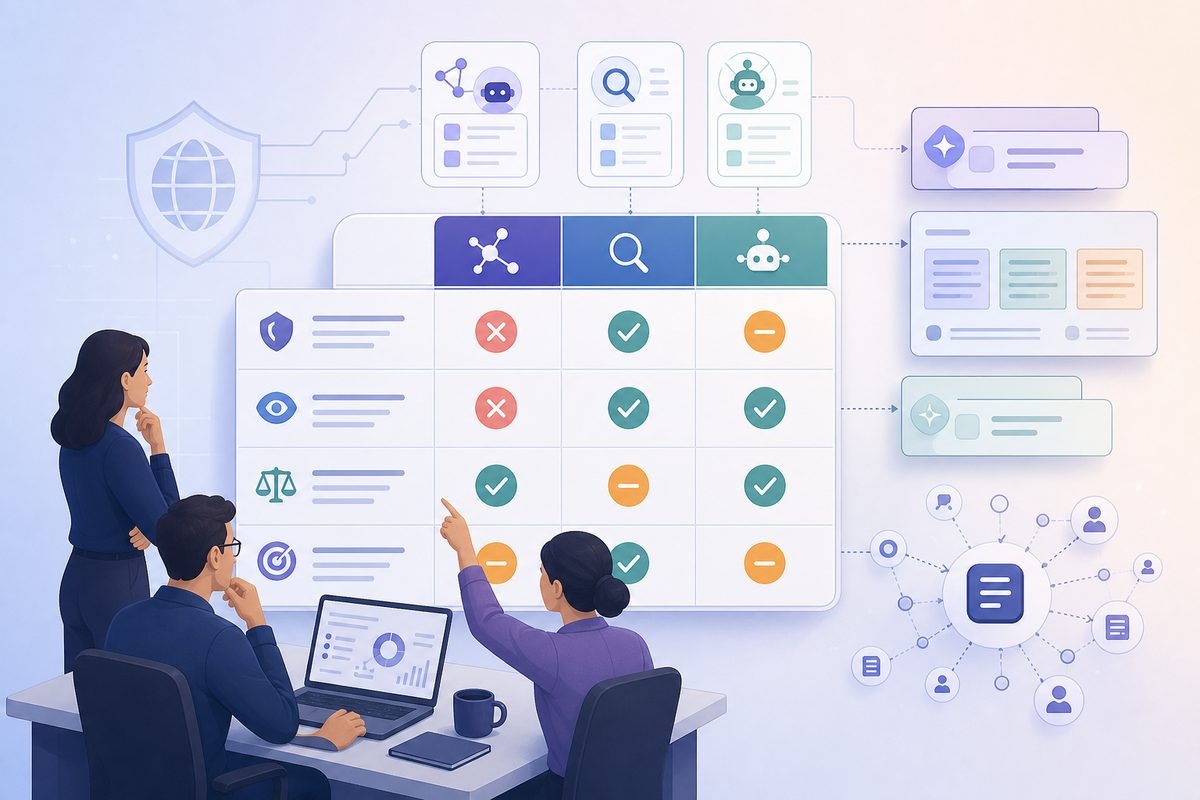
What Does It Mean to Block AI Crawlers?
Blocking AI crawlers means restricting automated systems connected to AI products from fetching selected URLs or using fetched content for search, retrieval, summarization, training, or user-initiated agent actions. In practice, site owners combine robots.txt directives, bot verification, WAF rules, rate limits, noindex tags, and authentication.
For SEO and AI visibility, the key distinction is what the bot is doing:
| AI crawler type | Examples | Main use | What blocking can do |
|---|---|---|---|
| Training crawler | GPTBot, ClaudeBot, Google-Extended |
Collect content that may be used for model training or related AI uses | Reduces future training use by compliant operators |
| AI search crawler | OAI-SearchBot, Claude-SearchBot, PerplexityBot |
Index or retrieve web content for AI search answers | Can reduce AI citations, answer inclusion, and source accuracy |
| User-triggered fetcher | ChatGPT-User, Claude-User, Perplexity-User |
Fetch a page because a person asked for it | Can affect real-time answer quality, but robots.txt may not apply consistently |
| Traditional search crawler | Googlebot, Bingbot |
Build search indexes used across search surfaces | Blocking can damage organic search and downstream AI discovery |
| Unknown scraper or data collector | Spoofed or rotating user agents | Price scraping, dataset collection, competitive intelligence | Requires WAF, IP verification, bot management, and rate limits |
This is why the right question is not "Should we block AI?" It is: Which AI use case deserves access to which public pages, and what evidence do we have that the tradeoff is worth it?
The Short Answer: What Most Brand Sites Should Do
Most B2B SaaS, ecommerce, and publisher brands should use a selective policy:
- Allow public search discovery. Keep Googlebot, Bingbot, and AI search crawlers able to access homepage, product, comparison, documentation, pricing, research summaries, and high-value blog pages.
- Block training crawlers where rights or strategy require it. Use robots.txt tokens such as
GPTBot,ClaudeBot, andGoogle-Extendedfor content you do not license for model training. - Use authentication for private content. Customer portals, account pages, admin routes, staging sites, support tickets, and private docs should not be publicly reachable.
- Use
noindexfor pages that may be crawled but should not appear in search. Do not combinenoindexwith robots.txt disallow if you need Google to see thenoindexdirective. - Verify bots before allowing or blocking at the network layer. User-agent strings can be spoofed, so WAF rules should combine user agent, IP ranges, reverse DNS where available, and log review.
- Measure AI visibility before and after. Track brand mentions, citations, source URLs, and answer accuracy in ChatGPT, Perplexity, Claude, Gemini, Copilot, Grok, and Google AI Overviews.
If your team needs a bot-by-bot companion to this page, use MaxAEO's Block or Allow AI Crawlers decision guide.
Why Blocking AI Crawlers Is Not One Decision
Robots.txt was standardized as the Robots Exclusion Protocol in RFC 9309, but the standard itself says robots rules are not access authorization. Google also states that robots.txt is mainly for controlling crawler access and is not a way to keep a page out of Google Search; for that, Google recommends noindex or password protection in its robots.txt guidance.
That limitation matters more with AI crawlers because "AI access" now includes several different behaviors:
- A model-training crawler may copy public text into future training datasets.
- An AI search crawler may index a page so it can be cited later.
- A chat product may fetch a URL in real time because a user asked about it.
- A browser or agent may interact with a site as part of a task.
- A scraper may ignore robots.txt entirely.
A 2025 empirical study of 130 self-declared bots over 40 days found that some bot categories, including AI search crawlers in the study environment, rarely checked robots.txt at all. The paper, "Scrapers selectively respect robots.txt directives", supports the operational takeaway: robots.txt is a signal for compliant bots, not a security boundary.
Which AI Crawlers Should You Block or Allow?
As of July 2026, the most practical policy is to separate crawlers by purpose and verify the official documentation before deployment.
| Company or product | Bot token | Purpose | Default brand-site recommendation |
|---|---|---|---|
| OpenAI | OAI-SearchBot |
ChatGPT search visibility | Allow on public pages you want cited |
| OpenAI | GPTBot |
Content that may be used for foundation model training | Block if your policy is no unlicensed training |
| OpenAI | ChatGPT-User |
User-triggered fetches from ChatGPT or custom GPTs | Allow only for public content; use auth for private pages |
| Anthropic | Claude-SearchBot |
Claude search result quality | Allow on public evidence pages |
| Anthropic | ClaudeBot |
Content that may contribute to model training | Block where training use is not allowed |
| Anthropic | Claude-User |
User-directed Claude requests | Allow only for public content |
| Perplexity | PerplexityBot |
Perplexity search results and links | Allow on public pages you want surfaced |
| Perplexity | Perplexity-User |
User-triggered Perplexity fetches | Allow only for public content; monitor logs |
Google-Extended |
Controls certain Gemini and Vertex AI training/grounding uses | Block if you do not permit those uses | |
Googlebot |
Google Search and related search features | Usually allow; blocking can hurt SEO | |
GoogleOther |
Generic Google crawls for publicly accessible content | Decide by policy and log evidence | |
Google-CloudVertexBot |
Crawls requested by site owners building Vertex AI Agents | Usually allow only if you use it |
OpenAI documents OAI-SearchBot, GPTBot, and ChatGPT-User separately in its crawler documentation. OpenAI says a site can allow OAI-SearchBot to appear in ChatGPT search while disallowing GPTBot for training use.
Anthropic similarly separates ClaudeBot, Claude-User, and Claude-SearchBot in its site owner guidance. Perplexity distinguishes PerplexityBot and Perplexity-User in its crawler documentation.
Google is different. Google-Extended is a robots.txt product token, not a separate HTTP user-agent string. Google's common crawler documentation says Google-Extended does not affect inclusion or ranking in Google Search, but it can manage whether crawled content is used for specified Gemini and Vertex AI uses. Do not expect to find "Google-Extended" as a normal crawler in server logs.
When You Should Block AI Crawlers
Block AI crawlers when the downside of reuse, extraction, or summarization is greater than the visibility upside.
Strong blocking candidates include:
- Customer portals, dashboards, admin routes, account pages, and app screens.
- Staging sites, QA environments, unreleased docs, beta pages, and roadmap URLs.
- Licensed analyst reports, partner-only collateral, paid course material, and premium datasets.
- Pages containing personal data, customer data, support tickets, private recommendations, or uploaded files.
- Pricing experiments, quote calculators, sales-only battlecards, and lead-scoring workflows.
- Faceted search URLs, duplicate parameters, infinite crawl traps, and low-quality internal search pages.
- Original media, research, or proprietary data where model training creates a strategic or rights issue.
For these pages, robots.txt is rarely enough. Use the strongest applicable control:
| Risk level | Best control | Why |
|---|---|---|
| Page is private | Authentication and authorization | Prevents access by people and bots |
| Page should not be indexed but may be crawled | noindex meta tag or X-Robots-Tag |
Search engines need to crawl the page to see the directive |
| Page is public but not for training | Robots.txt training-bot blocks and content-use signals | Communicates policy to compliant operators |
| Bot traffic is abusive | WAF, bot management, rate limits, verified IP rules | Works beyond voluntary robots compliance |
| Content is licensed or contract-sensitive | Legal terms plus access controls | Creates clearer commercial boundaries |
Google's noindex documentation is especially important: if a page is blocked by robots.txt, Google may never see the noindex tag, and the URL can still appear in search if other pages link to it.
When Blocking Hurts AI Search Visibility
Blocking the wrong bots can make a brand less visible in AI answers. AI engines need crawlable, trustworthy, current sources to describe companies, compare vendors, answer pricing questions, cite documentation, and build shortlists.
Do not block AI search crawlers on pages that answer commercial or category questions such as:
- "best [category] software"
- "[brand] vs [competitor]"
- "[product] pricing"
- "how does [brand] integrate with [tool]"
- "is [brand] SOC 2 compliant"
- "alternatives to [competitor]"
- "what is the best tool for [use case]"
A 2026 study of Google Search, Gemini, and AI Overviews found that generative search sources can differ substantially from traditional organic results and reported less than 0.2 average Jaccard similarity among retrieved source sets. The paper, "How Generative AI Disrupts Search", is not a Google policy document, but it reinforces the SEO reality: ranking in blue links is not the same as being selected as an AI answer source.
That is why public evidence pages should remain accessible:
- Product and solution pages define the entity.
- Comparison pages influence vendor shortlists.
- Documentation helps technical AI answers stay accurate.
- Pricing pages support plan-fit and purchase-intent questions.
- Case studies and proof pages support trust.
- Research summaries give AI engines citable claims.
If a page is rendered mostly client-side, accessible bots may still miss it. See MaxAEO's guide to JavaScript AI search visibility before assuming crawl access equals content access.
The VPL Score: A Page-Level Decision Framework
Use the VPL Score to decide whether to block AI crawlers page by page. VPL stands for Visibility upside, Privacy risk, and Legal/licensing risk.
Score each page from 0 to 2:
| Dimension | 0 | 1 | 2 |
|---|---|---|---|
| Visibility upside | No meaningful AI discovery value | Some citation or support value | High value for brand positioning, buying prompts, or category shortlists |
| Privacy risk | Fully public | Contains operational detail | Contains personal, account, customer, or confidential data |
| Legal/licensing risk | Original public content | Mixed rights, partner material, screenshots, or quotes | Licensed, paid, restricted, or contract-sensitive material |
Then apply the policy:
| VPL pattern | Recommended crawl policy |
|---|---|
| Visibility 2, Privacy 0, Legal 0 | Allow search crawlers and user-triggered fetchers; decide training separately |
| Visibility 2, Privacy 1, Legal 1 | Allow selected search crawlers; remove sensitive details; monitor citations |
| Visibility 1, Privacy 2, Legal 1 or 2 | Authenticate; do not rely on robots.txt |
| Visibility 0, Privacy 0, Legal 0 | Allow or block based on crawl budget and quality |
| Visibility 0 or 1, Privacy 0, Legal 2 | Block training crawlers; consider licensing language or gated access |
Examples:
| Page | VPL score | Policy |
|---|---|---|
| "Best SOC 2 automation platforms" comparison page | V2 / P0 / L0 | Keep crawlable for AI search |
| Public API authentication docs | V2 / P0 / L0 | Keep crawlable; ensure examples are current |
| Customer implementation worksheet | V0 / P2 / L1 | Authenticate; block public access |
| Paid analyst report PDF | V1 / P0 / L2 | Publish an ungated summary; restrict full asset |
| Internal search result pages | V0 / P0 / L0 | Block or noindex depending on indexation needs |
The unit of decision is not the whole domain. It is page type plus bot use case plus measurable visibility impact.
How to Block AI Crawlers in robots.txt
Here is a balanced robots.txt pattern for a B2B SaaS site that wants AI search visibility but does not want broad model-training use.
# Keep conventional search discovery open for public pages.
User-agent: Googlebot
Allow: /

User-agent: Bingbot
Allow: /

# Allow AI search crawlers on public pages you want cited.
User-agent: OAI-SearchBot
Allow: /

User-agent: Claude-SearchBot
Allow: /

User-agent: PerplexityBot
Allow: /

# Block selected training-oriented controls.
User-agent: GPTBot
Disallow: /

User-agent: ClaudeBot
Disallow: /

User-agent: Google-Extended
Disallow: /

# Block private or low-value paths for compliant crawlers.
User-agent: *
Disallow: /app/
Disallow: /account/
Disallow: /admin/
Disallow: /internal-search/
Disallow: /staging/
Disallow: /checkout/
This is a template, not legal advice or a universal rule. Before deploying, verify the current bot tokens in official documentation, because crawler names, IP ranges, and product behavior change.
Training-Only Block
Use this when you want to block AI crawlers used for training while preserving AI search access:
User-agent: GPTBot
Disallow: /

User-agent: ClaudeBot
Disallow: /

User-agent: Google-Extended
Disallow: /
ChatGPT Search Visibility Block
Use this only if you intentionally want to opt out of ChatGPT search answers:
User-agent: OAI-SearchBot
Disallow: /
OpenAI says sites opted out of OAI-SearchBot will not be shown in ChatGPT search answers, though they may still appear as navigational links. For most brands, this is a visibility loss unless legal or content-rights risk is high.
Path-Level Block
Use this when only specific areas should be blocked:
User-agent: GPTBot
Disallow: /research-reports/
Disallow: /media-library/

User-agent: ClaudeBot
Disallow: /research-reports/
Disallow: /media-library/

User-agent: *
Disallow: /account/
Disallow: /admin/
Disallow: /app/
If the path is genuinely private, do not stop here. Add authentication.
Add Content Signals, but Do Not Treat Them as Enforcement
Robots.txt controls crawl access by URL pattern. It does not fully express what a crawler may do with content after access. Cloudflare's Content Signals Policy adds machine-readable preferences such as search, ai-input, and ai-train.
Example:
User-agent: *
Content-Signal: search=yes, ai-train=no
Allow: /
Cloudflare's July 2026 AI traffic update also separates bot behavior into Search, Agent, and Training categories in its AI traffic options announcement. That taxonomy is useful even if you do not use Cloudflare, because it maps directly to the business decision: discovery, user task execution, or model training.
Content signals are still preferences. Cloudflare itself notes they are not technical countermeasures against scraping. For higher-risk content, combine them with WAF rules, bot management, authentication, and legal terms.
MaxAEO's guide to llms.txt for AI visibility explains the same distinction from the other side: llms.txt can help describe and route AI systems toward useful public content, but it is not a blocking mechanism.
Use the Crawl Control Ladder
Use this ladder when stakeholders disagree about whether to block AI crawlers. Move up only as the risk increases.
| Level | Control | Use it when | Visibility impact |
|---|---|---|---|
| 0 | Allow | Public page should be discovered and cited | Highest visibility |
| 1 | Allow search, block training | Public evidence page has strategic or rights concerns | Preserves AI search while limiting training use by compliant bots |
| 2 | noindex |
Page can be crawled but should not appear in search results | Reduces search visibility but allows crawlers to see directives |
| 3 | Robots path block | Low-value or duplicate public paths waste crawl resources | Removes compliant crawler access |
| 4 | WAF, rate limits, bot verification | Bot behavior is abusive, spoofed, or commercially sensitive | Can block useful bots if misconfigured |
| 5 | Authentication and authorization | Content is private, regulated, customer-specific, or confidential | Removes public visibility by design |
The common mistake is jumping from Level 0 to Level 5 for the whole site. That may feel safer, but it can erase the evidence layer AI systems use to understand the brand.
How to Verify That Blocking Works
A robots.txt change is not finished when it deploys. It is finished when logs, search visibility, and AI answer behavior match the intended policy.
Use this test sequence:
- Validate robots.txt syntax. Confirm the file is reachable at
https://example.com/robots.txt, uses the right user-agent tokens, and exists for every relevant subdomain. - Check representative URLs. Test homepage, product pages, blog posts, docs, pricing, app routes, PDFs, and staging paths.
- Inspect server logs. Compare bot hits before and after deployment. Pay attention to status codes, path patterns, crawl frequency, and WAF challenges.
- Verify official IP ranges where provided. Do not trust user-agent strings alone.
- Check search indexing. Use Search Console, Bing Webmaster Tools, and manual checks for pages affected by robots or
noindex. - Run AI visibility prompts. Re-test the same brand, category, comparison, pricing, and documentation prompts across AI engines.
- Watch for unintended blocks. WAF rules often block link preview bots, uptime tools, SEO crawlers, or user-triggered fetchers by accident.
A useful monitoring table:
| Metric | Before change | After change | What it tells you |
|---|---|---|---|
| AI citations to public pages | Baseline count | New count | Whether answer engines still cite you |
| Brand mentions in buying prompts | Baseline share | New share | Whether visibility changed |
| Crawl hits from allowed AI search bots | Baseline hits | New hits | Whether search bots can still reach pages |
| Crawl hits from blocked training bots | Baseline hits | New hits | Whether compliant bots are honoring policy |
| 403 or 429 responses to verified bots | Baseline count | New count | Whether WAF rules are overblocking |
| Incorrect AI descriptions | Baseline count | New count | Whether reduced source access hurt answer quality |
For a broader measurement model, MaxAEO's guide to why Google rankings do not guarantee AI answer visibility shows why brand teams need to monitor citations and answer presence directly.
What to Leave Crawlable for AI Visibility
If you block every AI crawler from every public page, AI systems will rely more on third-party summaries, old reviews, competitor pages, forums, marketplace listings, and scraped snippets outside your control.
Keep these page types accessible unless there is a specific risk:
| Page type | Why it matters in AI answers |
|---|---|
| Homepage and product pages | Define the entity, category, and core positioning |
| Solution pages | Map the brand to use cases and buyer problems |
| Comparison and alternatives pages | Influence AI-generated vendor shortlists |
| Pricing pages | Help AI assistants answer plan-fit and cost questions |
| Public docs and API references | Improve technical answer accuracy |
| Security, compliance, and trust pages | Support risk and procurement questions |
| Case studies and customer proof | Supply evidence for recommendations |
| Research summaries and glossary pages | Create citable educational sources |
| Changelogs and release notes | Keep AI answers current |
If the full asset should stay gated, publish a crawlable summary. A public executive summary can give answer engines a citable source while keeping the full report, webinar, or dataset behind a form. MaxAEO's framework for gated content and AI visibility covers that decision in more detail.
Legal and Privacy Considerations
Crawler policy should involve legal review when content includes copyright-sensitive material, licensed third-party work, personal data, customer data, contractual restrictions, or region-specific obligations.
A 2025 paper, "The Liabilities of Robots.txt", argues that the legal consequences of violating robots.txt remain context-dependent across contract, copyright, and tort theories. Treat robots.txt as evidence of preference and policy, not as a complete enforcement system.
For privacy, the standard is clearer: if a stranger should not see it, it should not be public. Use authentication, authorization, private APIs, and least-privilege access. Do not publish sensitive URLs and hope polite crawlers stay away.
Common Mistakes to Avoid
Mistake 1: Blocking User-agent: * Across the Whole Site
This can remove access for search engines, AI search crawlers, SEO tools, monitoring systems, and link preview bots. Use targeted bot and path rules instead.
Mistake 2: Blocking Googlebot Because of AI Concerns
Blocking Googlebot affects Google Search and related features. If the goal is to manage certain Gemini or Vertex AI uses, evaluate Google-Extended instead of blocking Googlebot.
Mistake 3: Expecting Google-Extended in Logs
Google-Extended is a robots.txt token, not a separate HTTP user-agent string. Log analysis should look at the actual Google crawler user agents and the policy effect, not a nonexistent Google-Extended crawler hit.
Mistake 4: Using robots.txt for Sensitive Content
Robots.txt is public. Listing /private-client-files/ can reveal URL patterns. Sensitive pages need authentication.
Mistake 5: Combining robots.txt Disallow With noindex
If a crawler cannot access a page, it may not see the noindex directive. Use noindex for pages that can be crawled but should not be indexed.
Mistake 6: Blocking Search Crawlers Without Measuring AI Visibility
If OAI-SearchBot, Claude-SearchBot, or PerplexityBot loses access to your public evidence pages, your brand may appear less often or be described from weaker third-party sources.
Practical Default Policy
For most brand websites, the best default is:
- Allow Googlebot and Bingbot on public pages needed for organic search.
- Allow AI search crawlers such as
OAI-SearchBot,Claude-SearchBot, andPerplexityBoton public pages you want cited. - Allow user-triggered fetchers only where a human visitor can access the same public content.
- Block training-oriented crawlers such as
GPTBot,ClaudeBot, andGoogle-Extendedif your policy is no unlicensed model training. - Authenticate app, account, admin, staging, customer, and partner-only pages.
- Use
noindexfor crawlable pages that should not appear in search results. - Use WAF and rate limits for abusive or spoofed traffic.
- Measure AI mentions, citations, and answer accuracy before and after policy changes.
That lets you block AI crawlers where the risk is real without disappearing from the answer engines that influence vendor discovery.
Common Questions
Should every brand block AI crawlers?
No. Brands should block AI crawlers selectively. Public product, comparison, documentation, pricing, and evidence pages often need AI search access to appear in answers. Private, licensed, customer-specific, or commercially sensitive pages should be blocked, authenticated, or both.
How do I block ChatGPT from using my website?
To block training use by OpenAI, disallow GPTBot. To opt out of ChatGPT search answers, disallow OAI-SearchBot. For private content, do not rely on robots.txt; use authentication and access control. OpenAI documents these bots separately, so blocking one does not automatically block all OpenAI-related access.
Can we block AI training but still appear in ChatGPT search?
Yes, in many cases. OpenAI says GPTBot and OAI-SearchBot are independent controls. You can disallow GPTBot for model training while allowing OAI-SearchBot for ChatGPT search visibility. Apply the same principle to other vendors only where they provide separate crawler controls.
Does robots.txt stop AI companies from using our content?
Robots.txt communicates instructions to compliant crawlers, but it does not enforce access by itself. Some bots may ignore it, and user-agent strings can be spoofed. Use WAF rules, bot verification, rate limits, authentication, legal terms, and monitoring for higher-risk content.
Will blocking Google-Extended hurt Google Search rankings?
Google says Google-Extended does not affect inclusion or ranking in Google Search. Blocking Googlebot is different and can affect Google Search visibility. Do not confuse the two controls.
Should I use llms.txt to block AI crawlers?
No. llms.txt is better treated as an AI-facing content guide, not an access-control system. Use robots.txt, WAF rules, noindex, and authentication for blocking decisions. Use llms.txt to help AI systems find and understand the public content you want them to use.
What should agencies report after a crawler policy change?
Agencies should report robots.txt changes, crawl activity by bot, WAF blocks, AI share of voice, brand mentions, cited URLs, incorrect AI descriptions, competitor movement, and search indexation impact. A crawler policy that reduces risk but removes the brand from AI-generated shortlists is a business tradeoff, not simply a technical win.