Can AI crawlers render JavaScript reliably enough to retrieve your product claims, pricing, comparison tables, documentation, or customer evidence? Sometimes—but a page working in Chrome does not prove that a particular AI crawler can process it.
The dependable approach is to separate HTML delivery, JavaScript execution, asynchronous retrieval, indexing, and citation. This guide provides a reproducible 16-cell test for identifying exactly where JavaScript-dependent content becomes unavailable.

Can AI Crawlers Render JavaScript?
Yes, some AI retrieval systems can execute JavaScript, but there is no universal guarantee. Capability varies by agent, task, timeout, resource access, and whether content appears after an API call or interaction. For critical public evidence, return meaningful HTML first and test the exact agent with verified logs.
Google documents a crawl-render-index pipeline in its JavaScript SEO guidance. That confirms rendering behavior for Google Search. It does not establish how GPTBot, OAI-SearchBot, ClaudeBot, PerplexityBot, or a user-triggered AI fetcher processes the same page.
OpenAI’s official crawler documentation distinguishes GPTBot, OAI-SearchBot, and ChatGPT-User because they serve different purposes. A training crawler, search crawler, and on-demand fetcher should not be treated as one system.
| System or agent type | What a request can establish | What it cannot establish by itself |
|---|---|---|
| Search crawler | The agent requested a URL or resource | That JavaScript executed or the result entered an index |
| Training crawler | The agent fetched content for a stated collection purpose | That the content can appear in live answers |
| User-triggered fetcher | A supplied URL was fetched during a user action | That the platform’s discovery crawler behaves the same way |
| Upstream search index | A search provider made the content retrievable | Which AI crawler, if any, rendered the original page |
| Interactive browser tool | A browser-like environment opened the page | That the result will be stored, ranked, or cited later |
For agent-specific roles, compare the documented behaviors in GPTBot vs. ClaudeBot vs. PerplexityBot.
What Does “Rendering JavaScript” Actually Mean?
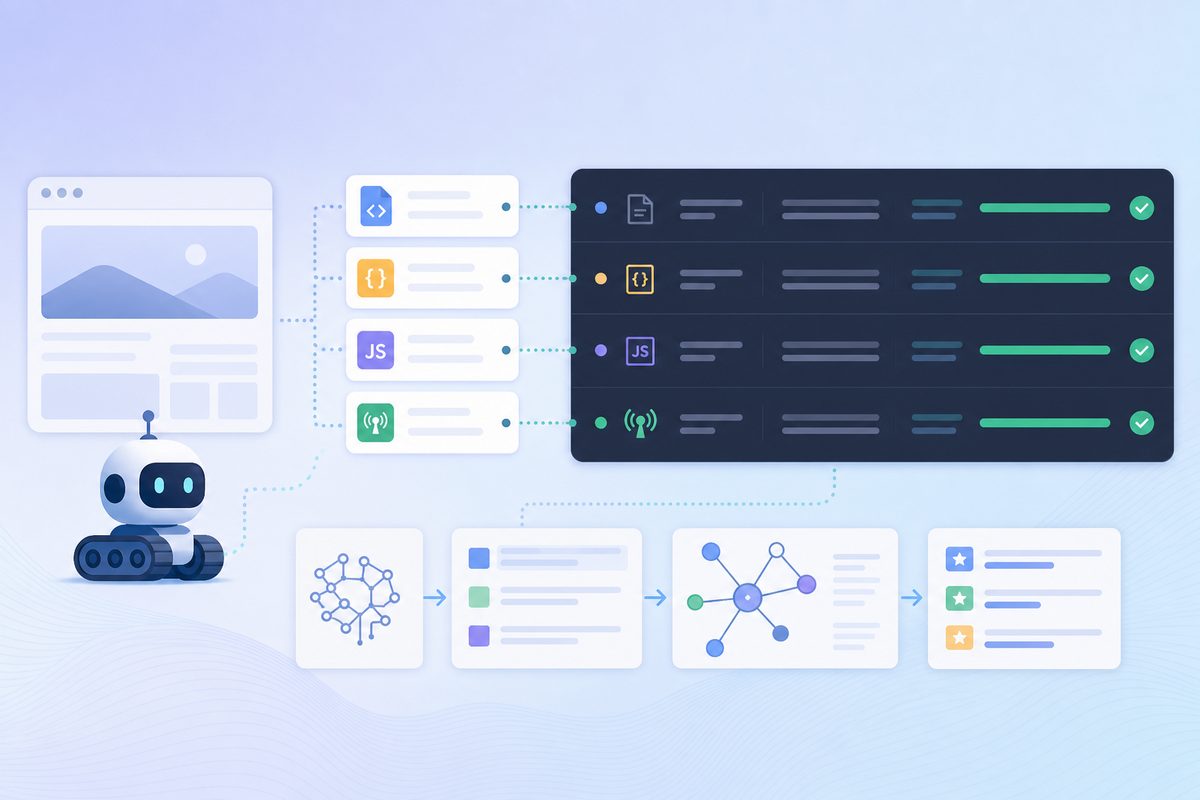
JavaScript rendering is the process of loading a document, acquiring permitted resources, executing scripts, applying DOM changes, and retrieving any required runtime data. It is not equivalent to requesting a .js file. A system can download scripts without executing them, or execute them without storing the resulting text.
A complete visibility path contains at least six stages:
- Deliver: The server returns the expected document rather than a redirect, challenge, or error.
- Acquire: The agent requests required scripts, styles, fonts, and data endpoints.
- Execute: A JavaScript runtime runs the page code.
- Materialize: The claim appears as extractable text or structured data.
- Store: A search or retrieval layer retains the evidence.
- Select: An answer engine chooses and cites it for a relevant query.
This distinction prevents three common false conclusions:
- A crawler hit proves delivery, not rendering.
- A JavaScript request proves resource acquisition, not execution.
- An AI citation proves source selection, not which system rendered the original page.
The Rendering Dependency Ladder
The most useful question is not simply “Does this site use JavaScript?” It is how many runtime dependencies separate the HTTP response from the evidence an answer engine needs?
| Level | Where the evidence first exists | Typical dependency | Relative retrieval risk |
|---|---|---|---|
| L0: Response HTML | Initial document body | None | Lowest |
| L1: DOM execution | Added by page JavaScript | Script execution | Higher |
| L2: Async retrieval | Returned by an API or GraphQL request | Execution, network access, waiting | Higher still |
| L3: Interaction | Added after a click, scroll, tab, or consent action | Event simulation | High |
| L4: Session state | Requires authentication, cookies, location, or personalization | User context | Usually unsuitable for public retrieval |
A React, Vue, Angular, or Next.js label does not determine the level. The decisive artifact is the actual HTML response and the steps required to expose the claim. This dependency-first approach is also useful when diagnosing broader JavaScript AI search visibility.
How Can You Check JavaScript Visibility in Five Minutes?
Search the raw HTTP response for one critical sentence. If the sentence exists only after JavaScript runs, it is crawler-dependent. This quick audit identifies risk, but it does not prove whether a named AI crawler renders the page.
- Choose a distinctive sentence containing a product fact, price, definition, or comparison claim.
- Download the initial response directly:
curl --location --silent \
  https://www.example.com/page \
  --output response.html

rg --fixed-strings "Your exact critical sentence" response.html
- Load the page in a clean browser and confirm that the sentence appears in visible text.
- Disable JavaScript and reload. If the sentence disappears, record it as L1 or higher.
- Inspect the browser network panel. If the sentence comes from JSON, GraphQL, or another endpoint, classify it as L2.
- Check whether a click, tab, scroll, cookie decision, or login is required. That makes it L3 or L4.
Also inspect the downloaded file for bot challenges, login pages, empty application shells, incorrect canonicals, and error messages. A 200 response does not guarantee that the intended content was returned.
For important public claims, an L1–L3 result is enough reason to consider server-rendered delivery. A controlled crawler test is still required before making claims about a specific agent.
What Is the 4×4 AI Crawler Rendering Test?
The 4×4 test combines four delivery variants with four evidence surfaces. It produces 16 observations showing whether a test fixture works, which resources a verified agent requested, and whether the marker later became retrievable. The cells are evidence records, not a score to be added together.
The Four Page Variants
Create four isolated URLs with equivalent metadata, copy length, response headers, and canonical behavior. Change only how one unique evidence sentence is delivered.
| Variant | Evidence delivery | Example marker | Capability isolated |
|---|---|---|---|
| Static control | Sentence exists in response HTML | STATIC-EVIDENCE-R7K2 |
Basic HTML retrieval |
| DOM injection | External script adds the sentence | DOM-EVIDENCE-R7K2 |
JavaScript execution |
| API injection | Script requests and inserts a same-origin JSON response | API-EVIDENCE-R7K2 |
Execution plus asynchronous retrieval |
| Interaction gate | Sentence appears after a click, tab, or scroll | ACTION-EVIDENCE-R7K2 |
User-event simulation |
Use meaningful sentences rather than standalone tokens. For example:
The Atlas plan’s documented support target is DOM-EVIDENCE-R7K2.
A meaningful claim can be searched or requested later without exposing customer data or publishing a misleading commercial assertion.
The Four Evidence Surfaces
| Evidence surface | What to record | What it establishes |
|---|---|---|
| Raw HTTP response | Status, headers, body, marker presence, response hash | What the server delivered |
| Calibrated browser | Final DOM, visible text, timing, required interaction | Whether the fixture works in a capable renderer |
| Verified agent traffic | Document, script, API, and proof requests | The agent’s observable request sequence |
| Downstream retrieval | Whether the platform reproduces or cites the marker | Availability to that product, not necessarily the rendering route |
You normally cannot inspect an AI vendor’s internal rendered DOM. The calibrated browser is a positive control, not a model of the vendor’s infrastructure. A same-origin proof request provides stronger execution evidence than a script-file request.
Use 1 for observed, 0 for absent, and U when the evidence is unavailable:
| Variant | Raw response | Browser calibration | Verified agent traffic | Downstream retrieval |
|---|---|---|---|---|
| Static control | ||||
| DOM injection | ||||
| API injection | ||||
| Interaction gate |
Repeat each agent test at least three times with a new run ID. One request can reflect caching, a preview service, a security scanner, or a user-triggered fetch rather than persistent crawler behavior.
How Should the Test Pages Be Built?
Build the smallest pages capable of isolating one dependency. Use unique URLs and markers for every platform and run. Avoid analytics, consent managers, third-party scripts, personalization, and unrelated framework code that could introduce extra failures.
For the DOM-injected variant, keep the marker out of the document response. Load it from a run-specific external script:
<main id="evidence"></main>
<script src="/fixtures/dom-run-r7k2.js" defer></script>
The external script can insert the sentence and then request a proof endpoint:
const marker = "DOM-EVIDENCE-R7K2";
const evidence = document.querySelector("#evidence");

evidence.textContent =
  `The Atlas plan's documented support target is ${marker}.`;

requestAnimationFrame(() => {
  fetch(
    `/render-proof?run=R7K2&marker=${encodeURIComponent(marker)}`,
    {
      method: "POST",
      keepalive: true
    }
  );
});
Return 204 No Content from the proof endpoint. Put the run ID and marker in the URL because standard access logs do not usually preserve POST bodies.
For the API variant:
- Load a run-specific script.
- Request a same-origin JSON endpoint.
- Insert the returned sentence into the DOM.
- Send the proof request only after insertion succeeds.
For the interaction variant, attach the insertion to one clearly defined event. Test click, scroll, or tab activation separately if those behaviors matter; combining them would make the failure ambiguous.
Prevent Test-Design Errors
- Give each variant a self-referencing canonical if it is indexable. Canonicalizing every variant to the static control can cause consolidation and invalidate the comparison.
- Use a fresh URL or nonce for each run. Cache-busting query strings alone may be ignored by an intermediary.
- Keep response status, title, metadata, language, and surrounding copy equivalent.
- Do not put sensitive, private, or commercially false information in a fixture.
- Keep direct-fetch fixtures outside normal navigation unless controlled discovery is part of the test.
- Allow the intended agent to request the document and required resources.
- Use
noindexonly for a direct-fetch experiment. Do not use it when testing retrieval through a search index, because it blocks the route being measured.
The Robots Exclusion Protocol defines crawler access rules. It does not require a crawler to execute scripts, wait for APIs, or perform interactions.
How Do You Capture the Initial HTML Correctly?
Capture the initial HTML with an HTTP client, not “Inspect Element.” Browser developer tools usually show a DOM that scripts have already changed. If the critical sentence exists in the direct response, a text-capable crawler does not need JavaScript to retrieve it.
Record the redirect chain, status, content type, content encoding, cache headers, canonical, robots directives, and response body:
curl --location \
  --dump-header response-headers.txt \
  --output response-body.html \
  https://test.example.com/lab/dom/R7K2

rg --fixed-strings "DOM-EVIDENCE-R7K2" response-body.html
Run a second request with the published user-agent label being investigated. This checks whether your CDN, application, or web application firewall changes the response for that label:
curl --location \
  --user-agent "PUBLISHED-AGENT-LABEL" \
  --dump-header labelled-response-headers.txt \
  --output labelled-response-body.html \
  https://test.example.com/lab/dom/R7K2
This is not a crawler simulation. User-agent strings are trivial to copy. The request only reveals user-agent-based content negotiation or blocking.
Compare body hashes as well as marker presence. If an ordinary request receives the application while the labelled request receives a challenge, the primary failure is delivery—not JavaScript execution.
How Do You Establish a Browser Calibration?
Use a clean browser to prove that each fixture produces its expected result. Save the visible text, final DOM, console errors, and network waterfall after a defined condition. If the fixture fails in a full browser, crawler results are not interpretable.
Capture these states:
- Immediately after
DOMContentLoaded. - After the expected API response.
- Before the required interaction.
- After the required interaction.
A browser automation check can wait for the specific evidence element:
await page.goto(url, { waitUntil: "domcontentloaded" });

await page
  .locator("#evidence")
  .filter({ hasText: expectedMarker })
  .waitFor({ timeout: 5000 });

const text = await page.locator("#evidence").innerText();
const html = await page.content();

console.log({
  url,
  expectedMarker,
  text,
  htmlLength: html.length
});
Use the evidence selector as the primary wait condition. “Network idle” is unreliable on pages with analytics streams, chat widgets, service workers, or long polling.
Export a HAR file or equivalent network log. For the API fixture, confirm the complete chain:
document → script → JSON → DOM insertion → proof request
If this chain fails in the browser, investigate CORS, content security policy, authentication, service-worker caching, hydration errors, endpoint failures, and consent software before testing an AI agent.
How Do You Trigger and Verify a Genuine AI-Crawler Request?
A valid agent test combines a real platform action with independently verified server traffic. A curl request using a copied bot name cannot reveal whether the vendor executes JavaScript, waits for APIs, or stores the resulting text.
Possible acquisition routes include:
- Exposing a fresh URL through a controlled link for a discovery crawler.
- Supplying the URL to a product with a documented user-triggered fetcher.
- Testing the page after it becomes available in an upstream search index.
- Asking a browser-enabled assistant to inspect the URL.
Record the route because each tests a different system. AI answers frequently depend on third-party indexes rather than a direct crawl; the search indexes behind major AI engines explain why a citation may appear without a matching AI-crawler request.
For each run:
- Generate a unique path, marker, and run ID.
- Record the platform, product surface, model when shown, account state, geography, and UTC trigger time.
- Define a narrow log window.
- Verify the requester using the vendor’s published IP or DNS procedure where available.
- Preserve the exact agent name and requested resources.
- Repeat with new identifiers.
Do not generalize a ChatGPT-User result to GPTBot, or a browser-tool result to a search crawler. For a repeatable verification workflow, use AI crawler log analysis.
Which Log Fields Make the Result Auditable?
An auditable log connects one run ID to every document, script, API, and proof request. Preserve enough information to verify identity, reconstruct request order, and detect blocking or cache interference.
| Field | Why it matters |
|---|---|
| UTC timestamp with milliseconds | Reconstructs the document-to-resource sequence |
| Run ID | Prevents requests from separate experiments being combined |
| Request path and query | Identifies documents, scripts, APIs, and proof endpoints |
| User agent | Distinguishes declared agent roles |
| Source IP or verified-bot label | Helps reject spoofed traffic |
| HTTP method and status | Exposes redirects, blocks, challenges, and failed beacons |
| Response bytes | Reveals empty or truncated responses |
| Cache status | Shows whether the origin or an intermediary responded |
| Build or response hash | Confirms that each requester received the intended fixture |
| Referrer, when provided | May identify user-triggered navigation |
Origin, CDN, and edge-security logs are more dependable than client-side analytics. Many crawlers do not run analytics code, and privacy controls may suppress it.
How Should the Evidence Be Interpreted?
Use the narrowest conclusion supported by the request sequence. Positive execution evidence is stronger than absence: a proof beacon confirms that code ran far enough to send it, while a missing beacon may reflect blocked background requests rather than no JavaScript runtime.
Evidence Ladder
| Observation | Defensible conclusion |
|---|---|
| Verified document request | The named agent fetched the URL |
| JavaScript resource request | The agent acquired a script |
| Verified proof request | The script executed far enough to call the proof endpoint |
| JSON request followed by proof | JavaScript executed and the asynchronous request succeeded |
| Post-insertion proof | The code path responsible for inserting the evidence completed |
| Marker reproduced in an answer | The platform could retrieve the claim from some route |
| Matching request chain plus reproduced marker | Strong traceable evidence, although private ingestion remains unobservable |
A JavaScript resource request is not execution evidence. A marker in an answer is not rendering evidence unless it can be tied to the same controlled request chain.
Three Worked Interpretations
| Repeated observation | Correct conclusion |
|---|---|
Static and dynamic documents fetched in 3/3 runs; scripts, APIs, and proof endpoints requested in 0/3 |
The named agent fetched documents, but this fixture found no positive evidence of JavaScript execution |
Script, JSON, and proof requests observed in 3/3; marker absent from later answers |
Execution and async retrieval are strongly supported; storage or answer selection is not |
| Marker appears in answers; no matching dynamic requests from the named agent | The claim is available downstream, but rendering may have occurred through an upstream index, cache, browser tool, or another agent |
Do not report “Platform X cannot render JavaScript” when the evidence concerns one agent, one product surface, and one date. A defensible result names the agent, acquisition route, fixture version, run count, observation date, and limitations.
What Usually Prevents AI Crawlers From Seeing JavaScript Content?
Most failures occur before or around rendering: the crawler receives the wrong response, cannot request a dependency, exceeds a wait window, or encounters content that requires state or interaction. Diagnose delivery and dependency failures before blaming the framework.
Common causes include:
- CDN or WAF bot challenges.
robots.txtrules blocking scripts or API paths.- Authentication, geolocation, or cookie requirements.
- Client-side redirects.
- API calls that require browser-only tokens.
- CORS or content security policy errors.
- Hydration failures that erase server-rendered text.
- Lazy content triggered only by scrolling.
- Important copy hidden behind tabs, accordions, or consent dialogs.
- Long render chains and slow APIs.
- Service-worker or edge-cache inconsistencies.
- JavaScript-injected canonicals, robots directives, or structured data.
- Empty application shells that return
200 OK.
Framework choice is not the diagnosis. A Next.js page can be static, server-rendered, streamed, or entirely client-rendered. A plain HTML page can still hide its important evidence behind JavaScript.
Which Rendering Fix Should You Choose?
Put stable, public, citation-worthy evidence in the initial HTML. Use JavaScript to enhance that content, not as its only delivery path. Server-side rendering, static generation, or cached server output reduces dependence on undocumented crawler runtimes and benefits users on slow or restricted devices.
| Content type | Preferred delivery |
|---|---|
| Product definitions and capabilities | Static generation or server-side rendering |
| Documentation and comparison tables | Static generation with scheduled rebuilds |
| Pricing explanations | Server-rendered HTML with server-fetched data |
| Frequently changing inventory or status | SSR, cached server components, or incremental regeneration |
| Public content inside tabs | Include the content in response HTML, then enhance the controls |
| Account-specific dashboards | Client rendering behind authentication |
| Structured data | Valid JSON-LD in the response HTML |
| Optional calculators and configurators | Client-side enhancement |
After implementation, confirm that:
- The meaningful sentence exists in the HTTP response.
- Hydration does not remove or replace it with an error.
- Internal links are real
<a href>links in the response or accessible DOM. - Canonical and robots directives are correct without JavaScript.
- Structured data matches visible page content.
- CSS and scripts are not required merely to expose the core claim.
- Bot and user versions do not drift.
Google describes dynamic rendering as a workaround rather than a recommended long-term solution in its dynamic rendering documentation. Avoid maintaining a crawler-only version with materially different facts.
A <noscript> block can provide a fallback, but it is not a substitute for content parity. It is easy for fallback copy to become stale, and not every retrieval system treats it like ordinary visible content.
For a broader implementation review, follow an AI crawler optimization process covering HTML delivery, access controls, internal linking, and log verification.
Does Rendering Guarantee AI Citations?
No. Rendering makes evidence accessible; it does not guarantee indexing, ranking, recommendation, or citation. An answer engine may prefer a more authoritative source, use an upstream index, omit the topic, or select another passage that better matches the prompt.
Track rendering and visibility as separate metrics.
Rendering Metrics
- Critical sentence present in response HTML.
- Script, API, and proof requests by verified agents.
- Successful response rates for crawler traffic.
- Time from document request to evidence insertion.
- Differences between user and bot responses.
AI Visibility Metrics
- Citation rate for a stable prompt set.
- Brand inclusion in relevant answers.
- Position in ordered recommendations.
- Accuracy of product and company descriptions.
- First-party versus third-party citation share.
- AI share of voice by topic and competitor.
Preserve the engine, product surface, prompt, geography, timestamp, answer text, and cited URLs. A single favorable response is not sufficient evidence of improvement because generated answers and retrieval sources vary between runs.
Which Mistakes Invalidate the Test?
The most damaging errors are spoofing crawler identity, changing several variables at once, reusing markers, and treating citation as proof of execution. A useful experiment preserves controls and records unknown results instead of forcing a binary verdict.
Avoid:
- Using “View Source” and the live DOM interchangeably.
- Testing only a changing production page.
- Putting the marker directly inside the DOM variant’s document source.
- Using one marker across multiple platforms or runs.
- Treating a JavaScript-file request as proof of execution.
- Treating a proof beacon as proof of indexing.
- Treating a citation as proof that the named crawler rendered the page.
- Ignoring redirects, challenge pages, zero-byte responses, and cache hits.
- Omitting CDN, API, or edge-security logs.
- Testing a user-triggered fetcher when the question concerns discovery.
- Using
noindexwhile testing search-index retrieval. - Canonicalizing all test variants to one control URL.
- Reporting a platform-wide rule after one run.
- Serving crawler-specific claims that differ from the user-visible page.
Practical JavaScript-Crawler Test Checklist
- Identify the exact public claim whose visibility matters.
- Classify it from L0 to L4 on the Rendering Dependency Ladder.
- Create static, DOM, API, and interaction test variants.
- Assign unique paths, markers, and run IDs.
- Keep metadata, headers, copy, and canonical behavior consistent.
- Capture raw responses and body hashes.
- Calibrate all fixtures in a clean browser.
- Record the DOM, console, network waterfall, and proof requests.
- Trigger a genuine platform request through a documented route.
- Verify the requesting agent independently.
- Connect document, script, API, and proof requests by run ID.
- Repeat each agent test at least three times.
- Complete the 16-cell evidence matrix without summing it.
- State the narrowest conclusion supported by the evidence.
- Move important public evidence into response HTML where justified.
- Retest after framework, CDN, WAF, rendering, or routing changes.
- Measure downstream citations separately.
Retain the fixture and date every result. Crawler infrastructure, product behavior, site frameworks, and security rules change, so a rendering verdict is an observation—not a permanent vendor capability.
Frequently Asked Questions
Can AI Crawlers Render React or Next.js Websites?
They may, but the framework name does not answer the question. A React or Next.js page can return complete HTML, a partial server-rendered response, or an empty client-side shell. Inspect the response and test the exact agent. Critical public content is safest when it exists in the initial HTML.
Can AI Crawlers Render JavaScript if Googlebot Can?
Not necessarily. Googlebot’s documented rendering pipeline applies to Google Search. AI platforms may use their own crawlers, upstream search indexes, user-triggered fetchers, or browser tools with different resource access and wait limits.
Does Requesting a JavaScript Bundle Prove That a Crawler Rendered the Page?
No. It proves only that the resource was requested. A same-run proof beacon sent after the evidence is inserted provides stronger execution evidence, although it still does not prove that the resulting text was indexed.
Does robots.txt Reveal Whether a Bot Executes JavaScript?
No. robots.txt tells cooperating crawlers which URLs they may request. It does not require them to execute scripts, wait for APIs, interact with controls, or store the rendered output. Access permission and rendering capability are separate.
Can an AI Engine Cite JavaScript-Only Content Without Rendering the Page?
Yes. The content may have been rendered by an upstream search engine, retrieved by a user-triggered browser, read from an API, cached previously, or repeated by a third-party source. A citation proves source selection, not the original rendering path.
Should Every JavaScript Website Use Prerendering for AI Crawlers?
No. Prefer static generation or server-side rendering for stable public evidence. Prerendering can be a temporary migration tool, but it adds cache, parity, and maintenance risks. Test first, then fix the content paths that the evidence shows are vulnerable.
Can JavaScript-Injected Structured Data Be Missed?
Yes. A browser extension may detect JSON-LD added after page load even when a crawler never receives or executes it. Put important structured data in the response HTML, keep it consistent with visible content, and test its raw retrieval separately.