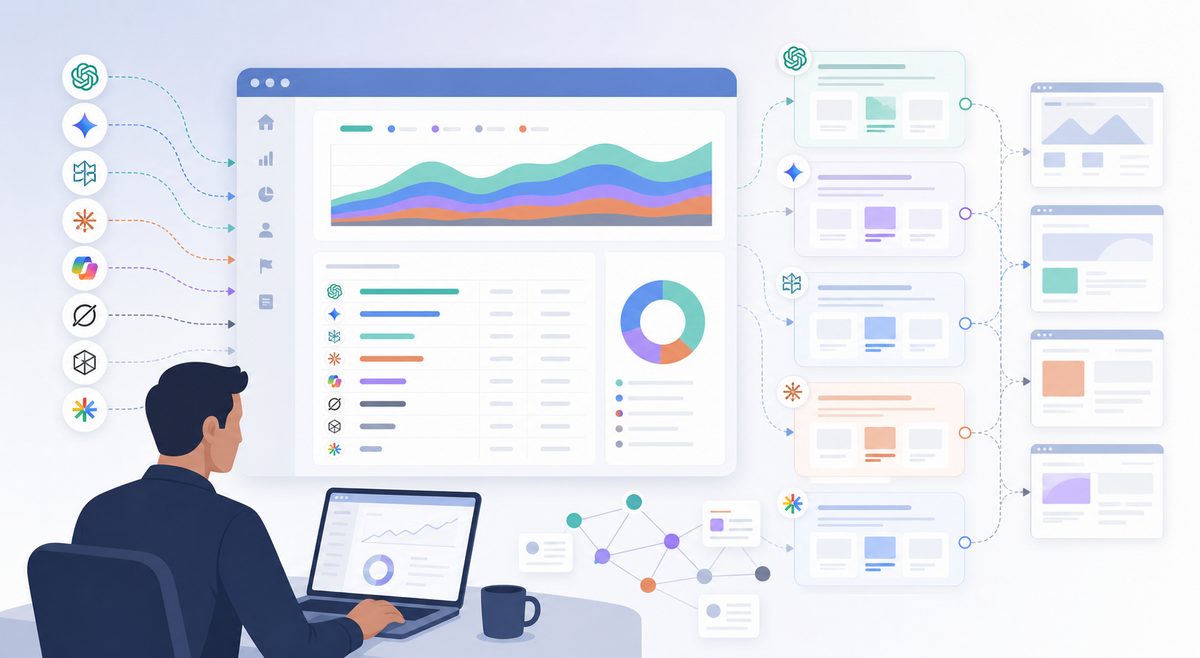
AI referral traffic is the measurable website traffic that arrives after someone clicks a link inside an AI assistant, AI search engine, or answer engine. In analytics, it is the visible click layer of AI search. It does not capture every buyer who used ChatGPT, Perplexity, Gemini, Copilot, Claude, Grok, or another assistant before visiting your site.
The practical answer: start with GA4's AI Assistants channel, audit Session source / medium and Page referrer, then compare those sessions with server logs, AI citation tracking, and CRM evidence. A defensible report separates what you can prove from what you can only infer.
What is AI referral traffic?
AI referral traffic is website traffic attributed to a click from an AI assistant, AI search engine, or answer engine when the visit passes a measurable source or referrer. It includes visible clicks from tools such as ChatGPT, Perplexity, Gemini, Copilot, Claude, Grok, DeepSeek, You.com, Poe, and other assistant-style discovery products.
It is narrower than AI influence. A buyer may ask ChatGPT for a shortlist, read the answer, search your brand later, and arrive through Google or direct traffic. That journey was influenced by AI, but it is not a clean AI referral.
Use three separate buckets:
| Bucket | What it means | Where to find it | Reporting confidence |
|---|---|---|---|
| Visible AI referral | A person clicked from an AI assistant and a referrer was passed | GA4, server logs | High |
| AI-influenced visit | A person used AI during research but arrived through search, direct, email, or another channel | Forms, CRM, demo calls, win-loss notes | Medium |
| AI bot or fetcher request | An AI system, crawler, preview fetcher, or user-triggered agent requested a page | CDN logs, server logs, WAF logs | Not human traffic by default |
Do not merge these into one KPI. AI referral traffic proves a click. AI visibility proves exposure. CRM evidence proves buyer influence. They often move together, but they are not the same signal.
What changed in GA4 for AI assistant traffic?
As of July 2026, Google's default channel group documentation lists AI Assistants as a GA4 channel for traffic from sources such as ChatGPT, Gemini, Deepseek, Copilot, or Grok. The same documentation says this channel excludes Google's AI Overviews and AI Mode, which can appear under Organic Search because they are Google Search experiences.
That distinction matters:
| Source of visit | Likely GA4 treatment | What to check |
|---|---|---|
| ChatGPT citation click | AI Assistants or assistant source/referrer | chatgpt.com, chat.openai.com, medium, landing page |
| Perplexity citation click | AI Assistants or referral-like source | perplexity.ai, landing page, conversions |
| Gemini app click | AI Assistants if the assistant referrer is passed | gemini.google.com, older bard.google.com |
| Google AI Overview click | Often Organic Search | Search Console, landing page, query evidence |
| Google AI Mode click | Often Organic Search | Organic Search plus AI visibility tracking |
| Copilot/Bing surface | Mixed | Do not classify all bing.com as Copilot |
GA4's default channel group cannot be edited, but Google allows custom channel groups for rule-based reporting. Use a setup guide like How to Track AI Referral Traffic in GA4 for implementation, then apply the evidence checks below before using the numbers in executive reporting.
How to find AI referral traffic in GA4
The fastest reliable workflow is to check the AI Assistants channel first, then build a source-level audit. The channel gives you the headline number. The source and referrer fields show what created it.
- Open Reports > Acquisition > Traffic acquisition.
- Set the primary dimension to Session default channel group.
- Look for AI Assistants.
- Add Session source / medium.
- Add Landing page + query string.
- Add metrics for sessions, engaged sessions, key events, revenue, and conversion rate.
- Create an exploration filtered to assistant domains.
- Compare the result with server-log referrers and bot user agents.
Google's Analytics dimensions and metrics documentation defines traffic-source dimensions such as source, source/medium, and referrer-related page fields. Use those fields together; a channel label alone is not enough for diagnosis.
Start with this regex, then adjust it after reviewing your own source data:
(?i)(chatgpt\.com|chat\.openai\.com|perplexity\.ai|gemini\.google\.com|bard\.google\.com|copilot\.microsoft\.com|claude\.ai|grok\.com|deepseek\.com|you\.com|phind\.com|poe\.com)
Quality-check the filtered report before you publish it:
| Check | Why it matters |
|---|---|
| Does the source match a real assistant domain? | Prevents ordinary search or social visits from being counted as AI traffic |
| Is the user agent browser-like in logs? | Separates human sessions from crawlers and fetchers |
| Did GA4 fire a session event? | Server requests without GA4 events are not analytics sessions |
| Which landing page received the visit? | Shows what assistants are citing or linking |
| Did the session convert or re-engage? | Separates curiosity clicks from business impact |
| Does CRM evidence mention AI research? | Captures influence GA4 cannot see |
Do not classify every bing.com, google.com, x.com, or linkedin.com visit as AI referral traffic. Those domains may contain AI surfaces, but they also contain ordinary organic, paid, social, and app traffic. Treat broad platforms as review-required, not automatically AI.
Which AI referral sources should you monitor?
Monitor assistant domains that can produce human clicks. Add crawler and fetcher user agents to a separate log report, not to the same traffic KPI.
| Assistant or experience | Likely source or referrer values | Reporting note |
|---|---|---|
| ChatGPT | chatgpt.com, chat.openai.com |
High-confidence when visible as source or referrer |
| Perplexity | perplexity.ai, www.perplexity.ai |
Often visible from citation clicks |
| Gemini | gemini.google.com, older bard.google.com |
Separate from Google AI Overviews and AI Mode |
| Copilot | copilot.microsoft.com, possible Bing/Microsoft surfaces |
Review path and channel before classifying |
| Claude | claude.ai |
Often low volume, but useful for B2B and technical audiences |
| Grok | grok.com, possible X-related surfaces |
Do not group all X traffic as Grok |
| DeepSeek | deepseek.com and market-specific variants |
Add only if relevant to your target regions |
| Developer AI search tools | you.com, phind.com, poe.com |
Useful for software, developer tools, and technical content |
Keep a monthly change log. AI products change domains, referrer behavior, app flows, and link handling. A static regex becomes stale quickly.
Why is AI referral traffic underreported?
AI referral traffic is underreported because many AI-influenced journeys do not pass a usable referrer. Referrer policies, app-to-browser handoffs, copied links, private browsing, consent controls, later branded searches, and citation views without clicks can all hide the original AI touch.
The web allows referrer information to be limited or removed. MDN's Referrer-Policy documentation explains that no-referrer omits referrer information, while the default strict-origin-when-cross-origin sends only the origin for many cross-origin HTTPS requests.
So the absence of an AI referrer does not prove the absence of AI influence. It proves only that GA4 did not receive that signal.
For a deeper model, pair visible referrals with AI Referral Traffic Underreported: How to Measure Hidden AI Influence. The most useful reports include both the click you can measure and the influence signals you can validate elsewhere.
What can server logs show that GA4 misses?
Server logs can show requests GA4 never records because JavaScript did not run, consent blocked analytics, the page failed before the GA4 event fired, or the requester was a crawler or fetcher rather than a browser session.
GA4 measures analytics events. Server logs measure HTTP requests. Both are useful, but they answer different questions.
| Log field | Why it matters |
|---|---|
| Timestamp | Helps match AI requests with GA4 sessions and crawl bursts |
| Request path | Shows which pages assistants, fetchers, and users request |
| Status code | Finds blocked, redirected, or broken pages |
| Referrer | Captures visible referring URLs when passed |
| User agent | Separates browsers, bots, fetchers, and spoofed requests |
| IP or ASN | Helps verify known infrastructure where policy allows |
| Response bytes | Flags blocked, partial, or failed fetches |
OpenAI's crawler documentation distinguishes between OAI-SearchBot, GPTBot, and ChatGPT-User. OAI-SearchBot is used for ChatGPT search features, GPTBot is associated with training-related crawling, and ChatGPT-User is used for certain user-triggered actions. A ChatGPT-User log entry is not automatically a GA4 session, and a GPTBot request is not a human visit.
Google's crawler documentation also separates common crawlers, special-case crawlers, and user-triggered fetchers. Its Google-Extended documentation states that Google-Extended is a robots.txt token, not a separate HTTP user-agent string. If you are searching logs for a Google-Extended user agent, you are looking for the wrong signal.
The maxaeo evidence ladder for AI referral reporting
The most common reporting failure is using one number to answer five different questions. Use an evidence ladder instead.
| Claim | Minimum evidence | Confidence | Action it supports |
|---|---|---|---|
| "ChatGPT sent visits" | GA4 source/referrer or server referrer | High | Track landing pages and conversions |
| "Those visits converted" | GA4 key events, CRM match, revenue event | Medium to high | Prioritize AI-referred landing pages |
| "AI influenced pipeline" | Form fields, demo notes, CRM source detail, win-loss interviews | Medium | Add AI to attribution notes and sales discovery |
| "We are recommended more than competitors" | Repeated AI visibility tracking across prompt sets | Medium to high | Improve entity clarity, citations, and comparison pages |
| "This page caused the recommendation" | AI answer snapshots, citation tracking, log timing, landing-page evidence | Medium | Update cited pages and corroborating sources |
| "AEO caused revenue growth" | Baseline, control group, prompt tracking, CRM attribution, time-series analysis | High bar | Justify budget allocation |
A 2026 log-based field study, Disentangling Answer Engine Optimization from Platform Growth, shows why this matters. The study reported that total ChatGPT referrals grew 5.7x, while untreated pages on the same domain grew 3.5x over the same window. The authors estimated a 1.82x intervention-aligned lift, but warned that platform growth can inflate raw success stories.
The lesson is simple: raw AI referral growth is not the same as causal AEO impact. Always compare against a baseline.
How to combine GA4, logs, AI visibility, and CRM data
Use a four-layer report. Each layer answers a different business question.
| Layer | Primary metric | Best source | Question answered |
|---|---|---|---|
| Visible referrals | Sessions, engaged sessions, conversions, revenue | GA4, Looker Studio | Are assistant clicks growing? |
| Technical access | AI referrers, user agents, fetch frequency, status codes | CDN, WAF, server logs | Can AI systems access the right pages? |
| Answer visibility | Mentions, citations, rankings, sentiment, share of voice | AI visibility tracking | Are assistants recommending or citing the brand? |
| Buyer evidence | Demo source, form responses, sales notes, win-loss mentions | CRM, forms, interviews | Did AI influence pipeline? |
This is where AI search monitoring becomes different from normal referral reporting. Referral traffic is a click signal. Brand mentions in ChatGPT, Perplexity citations, Gemini summaries, Copilot recommendations, and AI answer sentiment are visibility signals.
If an assistant cites a page and no one clicks, that can still shape brand perception. If a buyer arrives through direct traffic after asking an AI tool for a shortlist, that also matters. Use AI Citation Tracking: How to Find and Fix the Sources Behind AI Answers to inspect the sources behind answers, then connect that evidence to GA4 and CRM outcomes.
How to build a defensible AI referral dashboard
A defensible dashboard shows numbers, caveats, and actions in the same view. The goal is not to make AI traffic look larger. The goal is to avoid undercounting influence while overstating certainty.
Include these sections:
| Dashboard section | Include | Decision it supports |
|---|---|---|
| Visible AI sessions | AI Assistants sessions, assistant source/medium, landing pages | Which AI sources send measurable traffic? |
| Conversion quality | Engaged sessions, key events, revenue, pipeline | Is AI traffic commercially useful? |
| Source QA | Referrer, medium, user agent, false-positive notes | Are we counting the right visits? |
| Hidden influence | Form mentions, branded search lift, direct visits to cited pages | Where is AI impact missing from GA4? |
| Technical access | Bot/fetcher requests, blocked pages, 4xx/5xx, redirect chains | Can answer engines access important content? |
| Answer visibility | Mentions, citations, sentiment, competitor presence | Are we present in the answers buyers see? |
| Action backlog | Pages to update, citations to earn, claims to clarify | What should the team fix next? |
The best dashboard has a confidence column. A row from chatgpt.com / referral with a demo conversion is high-confidence traffic. A server-log request from GPTBot is not a visit. A sales note saying "found you through ChatGPT" is influence evidence, not a referrer.
Worked example: turning messy AI traffic into a useful report
Use this as a reporting pattern, not as a benchmark. Suppose a 30-day export shows:
| Signal | Result | Confidence | Interpretation |
|---|---|---|---|
| GA4 AI Assistants sessions | 180 | High | Google classified these sessions as assistant-driven |
| Additional assistant-domain sessions | 96 | Medium | Matched source/referrer regex and reviewed for false positives |
| Demo starts from visible AI sessions | 42 | Medium to high | Conversion happened after a visible assistant session |
| Server-log AI fetches | 1,420 | Low for human traffic | Shows access and possible answer preparation, not sessions |
| Demo forms mentioning AI tools | 17 | Medium | Indicates hidden influence beyond visible referrals |
A weak report says: "AI generated 276 sessions and 42 demos."
A stronger report says: "Visible AI referrals produced 276 reviewed sessions and 42 demo starts. Server logs show additional AI system access, but those requests are not counted as human visits. CRM forms show 17 AI-influenced demos that GA4 did not attribute to assistant referrals."
That version is more useful because it separates proof from inference. The next action is to inspect the landing pages that converted, compare them with AI citation sources, and add buyer-journey questions to forms and sales discovery.
Use form language like:
- "Did you use ChatGPT, Perplexity, Gemini, Copilot, or another AI tool while researching vendors?"
- "Which tools or sources helped you build your shortlist?"
- "Did an AI answer mention or compare maxaeo before you visited the site?"
These questions do not replace analytics. They capture influence analytics cannot see.
What should you fix after finding AI visits?
Fix the pages and sources closest to revenue first. AI referral traffic is useful only if it changes content, technical, and conversion priorities.
-
High-value pages with AI referrals and conversions
Strengthen definitions, proof points, comparison tables, product screenshots, FAQs, and next-step CTAs. -
Cited pages with weak conversion paths
Add relevant internal links, demo paths, product context, and follow-up content. Do not turn informational pages into aggressive sales pages. -
Important pages with crawler or fetcher failures
Fix blocked assets, broken redirects, 4xx errors, 5xx errors, and JavaScript-only content that prevents extraction. -
Pages where assistants misdescribe the brand
Rewrite unclear claims. Add direct use cases, limitations, category definitions, and third-party corroboration where appropriate. -
Queries where competitors appear but you are absent
Build answer-ready pages, improve entity clarity, earn citations from trusted sources, and track the same prompt set over time.
For broader execution, connect referral reporting to How to Optimize for AI Search: The GEO Checklist. The goal is not just to get a click from ChatGPT. It is to become findable, accurately described, and credibly cited across answer engines.
Common mistakes to avoid
The biggest mistake is treating AI referral traffic as the whole AI search story. It is only the visible click layer.
Avoid these errors:
- Counting crawlers as visitors.
GPTBot,OAI-SearchBot,Googlebot, and similar user agents are not human sessions by default. - Putting assistant domains on GA4's unwanted referrals list. Google's unwanted referrals documentation is mainly for cases like payment processors, authentication flows, and self-referrals. Assistant domains are usually meaningful acquisition sources.
- Claiming prompt-level attribution from referrers. Referrer data rarely exposes the user's prompt or the full assistant answer.
- Treating Google AI Overviews as AI Assistants. GA4's documentation separates AI Assistants from Google Search experiences such as AI Overviews and AI Mode.
- Using an overbroad regex. Do not classify all Bing, Google, X, Reddit, or LinkedIn traffic as AI traffic.
- Ignoring low-volume, high-intent visits. In B2B, ten assistant-driven visits from comparison prompts can be more valuable than hundreds of casual sessions.
- Reporting growth without a baseline. AI platform adoption can lift referrals even when your content did not improve.
A better question than "How big is AI traffic?" is: Which AI signals are strong enough to guide content, technical, and brand decisions?
FAQ
What is AI referral traffic?
AI referral traffic is website traffic that arrives after a user clicks a link from an AI assistant, AI search engine, or answer engine, and the visit passes a measurable source or referrer into analytics or logs.
How do I track AI referral traffic in GA4?
Use the AI Assistants channel first, then audit Session source / medium, Page referrer, landing page, engaged sessions, key events, and revenue. Add a custom exploration or Looker Studio filter for assistant domains such as ChatGPT, Perplexity, Gemini, Copilot, Claude, Grok, and DeepSeek.
Why does GA4 show AI Assistants but source reports still show referrals?
GA4 channel grouping and source/medium dimensions answer different questions. AI Assistants is a channel classification. Source/medium shows the referring source and acquisition medium for the session. Use the channel for top-line reporting and source/medium for diagnosis.
Why are Google AI Overviews not counted as AI Assistants?
Google's GA4 documentation says AI Assistants excludes Google AI Overviews and AI Mode. Those experiences are part of Google Search, so their clicks can appear under Organic Search rather than the AI Assistants channel.
Why is ChatGPT traffic missing from GA4?
ChatGPT traffic may be missing when no referrer is passed, the user copies a URL, an app opens a browser without preserving the source, consent blocks analytics, JavaScript fails, or the buyer later returns through branded search or direct traffic.
Can I see the exact ChatGPT prompt that sent a visitor?
Usually no. A normal referrer can show the assistant domain, not the user's private prompt or conversation. Use form questions, demo notes, CRM fields, and win-loss interviews to understand buyer behavior without overclaiming analytics precision.
Are AI crawler requests good or bad?
They are evidence of access, not value by themselves. Some crawler or fetcher requests may help your pages appear in AI answers. Others may be unrelated to human demand. Track them separately from human sessions and check whether important pages return clean 200 responses.
What is the best KPI for answer engine optimization?
Use a KPI set: visible AI referral traffic, assistant-driven conversions, AI citations, AI share of voice, answer sentiment, crawler accessibility, and CRM evidence from buyers who used AI tools. One referral metric is not enough.
Final measurement checklist
A useful AI referral traffic report should answer seven questions:
- Which assistant sources sent visible sessions?
- Which landing pages received those visits?
- Which sessions engaged, converted, or created pipeline?
- Which AI-influenced journeys are likely hidden inside direct, organic, or branded search?
- Which AI crawlers and user-triggered fetchers accessed the site?
- Which AI answers mention, cite, rank, or misdescribe the brand?
- Which pages, citations, and technical issues should be fixed next?
When those answers are separated by evidence level, the report becomes defensible. GA4 shows the visible click. Logs show access patterns. AI visibility tracking shows whether the brand appears in the answers that shape demand before the visit. CRM evidence shows whether AI influenced real buyers.